META Max Pricing for WhatsApp Marketing Messages
Definition
META Max Pricing (Max Price) is Meta’s new optional pricing control on the Marketing Messages (MM) API for WhatsApp that lets a business set the maximum price it is willing to pay per delivered marketing message. Meta charges that max price or lower – never more.
Three objectives from Meta:
- At published rate: maintain delivery similar to today while potentially lowering cost (no-regrets move).
- Below published rate: economically reach broader cohorts (dormant/lapsed, low-engagement) at lower cost. Every delivery is incremental.
- Above published rate: increase likelihood of reaching high-value, highly-contended users in peak moments (holidays/sales).
How max price works – ceiling principle (published rate = $1.00 example):
Max Price you set | Cost to reach customer | You Pay | Delivered? |
|---|---|---|---|
$1.00 | $0.70 | $0.70 | Yes |
$1.00 | $0.85 | $0.85 | Yes |
$1.00 | $1.20 | – | Will not deliver |
“Your max price is a ceiling: you pay your max price amount or less, never more.” Cost depends on inbox load, template quality, etc. If cost > max, message is not sent and you are not charged.
Illustrative delivery vs cost trade-off (ILLUSTRATIVE ONLY, not actuals):
Max price | vs published rate | Est. delivery rate | Est. cost / msg |
|---|---|---|---|
$0.0781 | 25% above | 90–93% | $0.0687 |
$0.0688 | 10% above | 87–92% | $0.0605 |
$0.0625 | Published rate | 80–85% | $0.0563 |
$0.0563 | 10% below | 77–82% | $0.0507 |
$0.0500 | 20% below | 75–80% | $0.0450 |
$0.0438 | 30% below | 70–75% | $0.0394 |
Quality + Max Price: Higher Quality Messages May Cost Less and Deliver Better
Quality is a key factor in delivery of marketing messages on WhatsApp. Quality signals include read rates, engagement, negative feedback, customer relationship history, relevance and timeliness.
High-quality, relevant, timely and expected (opted-in) templates get the best delivery priority at a high max price and may still be delivered even at a low max price.
Low-quality, spammy, repetitive or irrelevant templates may be deprioritized for delivery, may be more unlikely to deliver at a low max price, and may even cost more to deliver than high quality ones.
In short, max price cannot override poor engagement signals.
Enablement
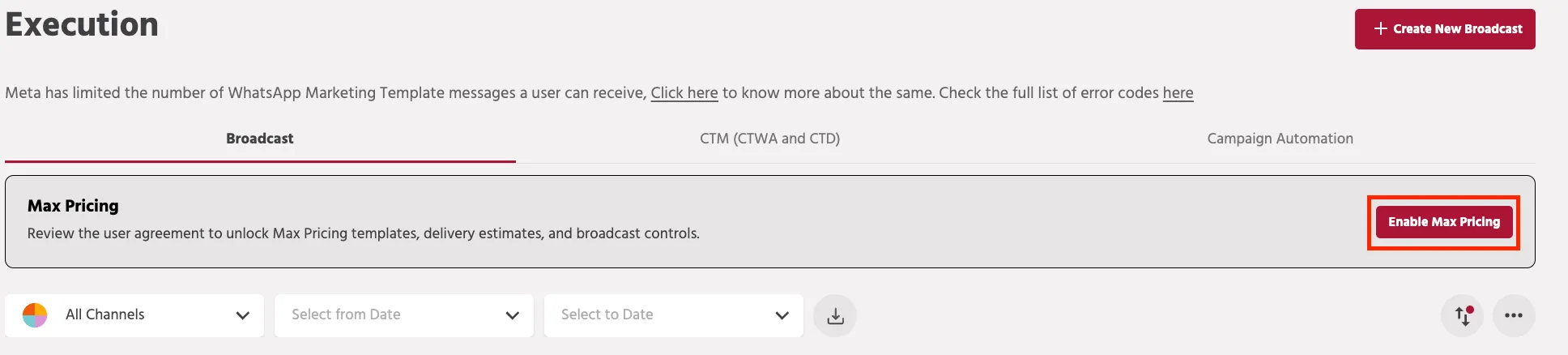
Navigate to the Execution tab. A banner “Max Pricing – Review the user agreement to unlock Max Pricing templates, delivery estimates, and broadcast controls” appears with the Enable Max Pricing button on the right.
- Click on the button
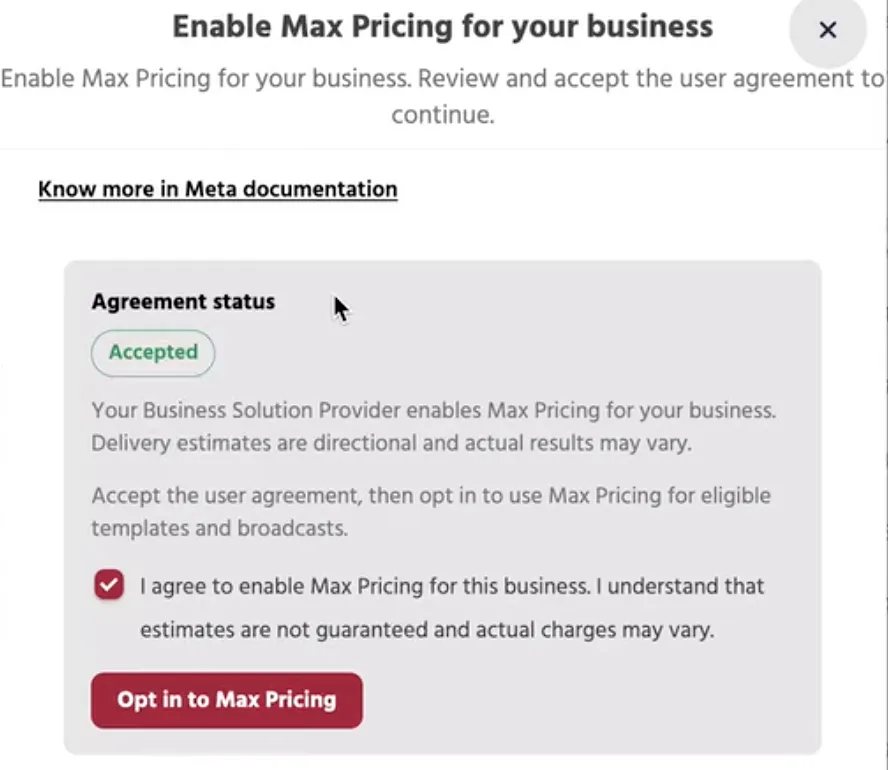
- A pop-up with the checkbox to agree to the terms and conditions will be required to be selected and you can then click on the Opt in to Max Pricing button
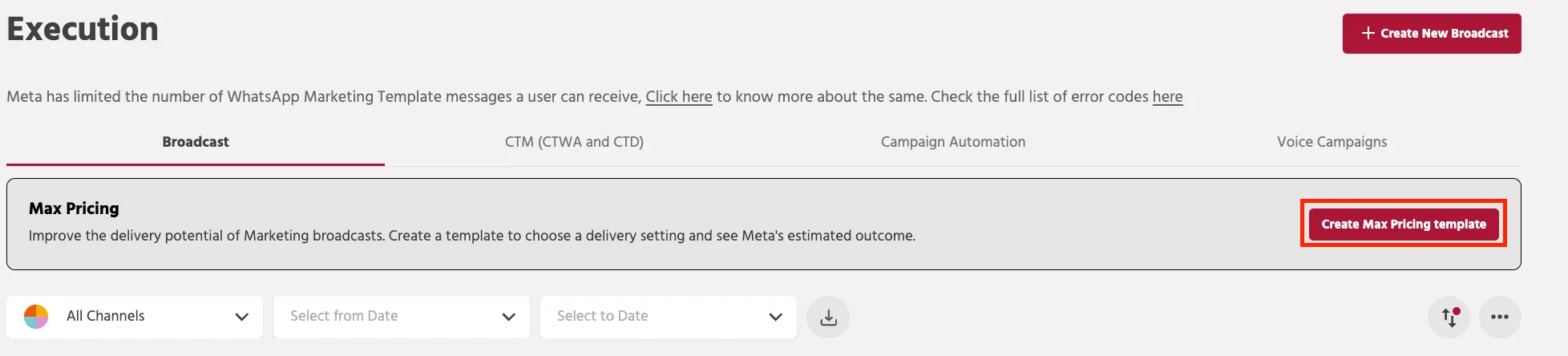
- After enablement, the banner changes with the button Create Max Pricing template.
NOTE: Existing templates cannot be directly used as Max Pricing templates. You can proceed with making a copy of the existing template and configure the Max Pricing during the creation. Template CreationTemplate Creation
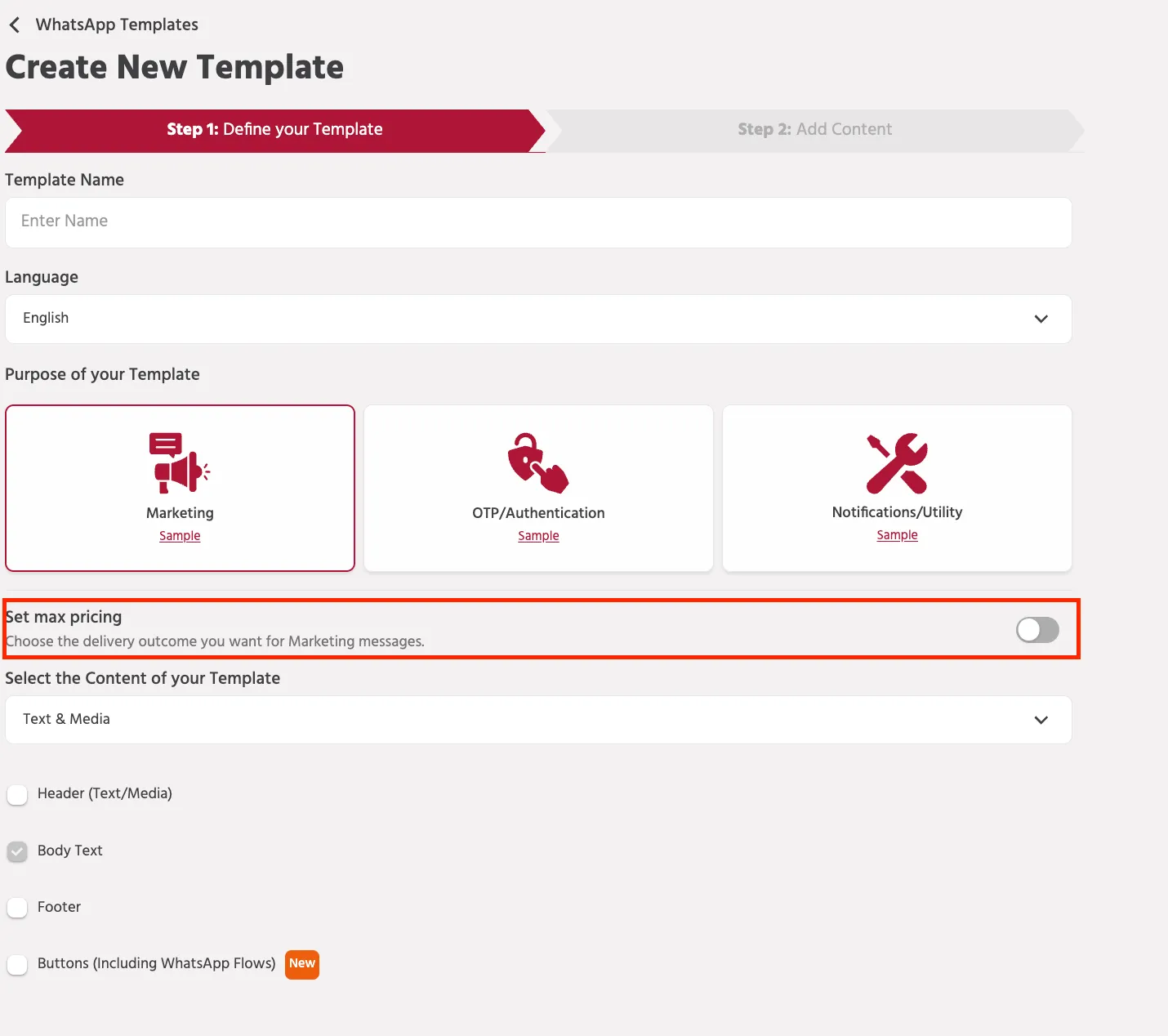
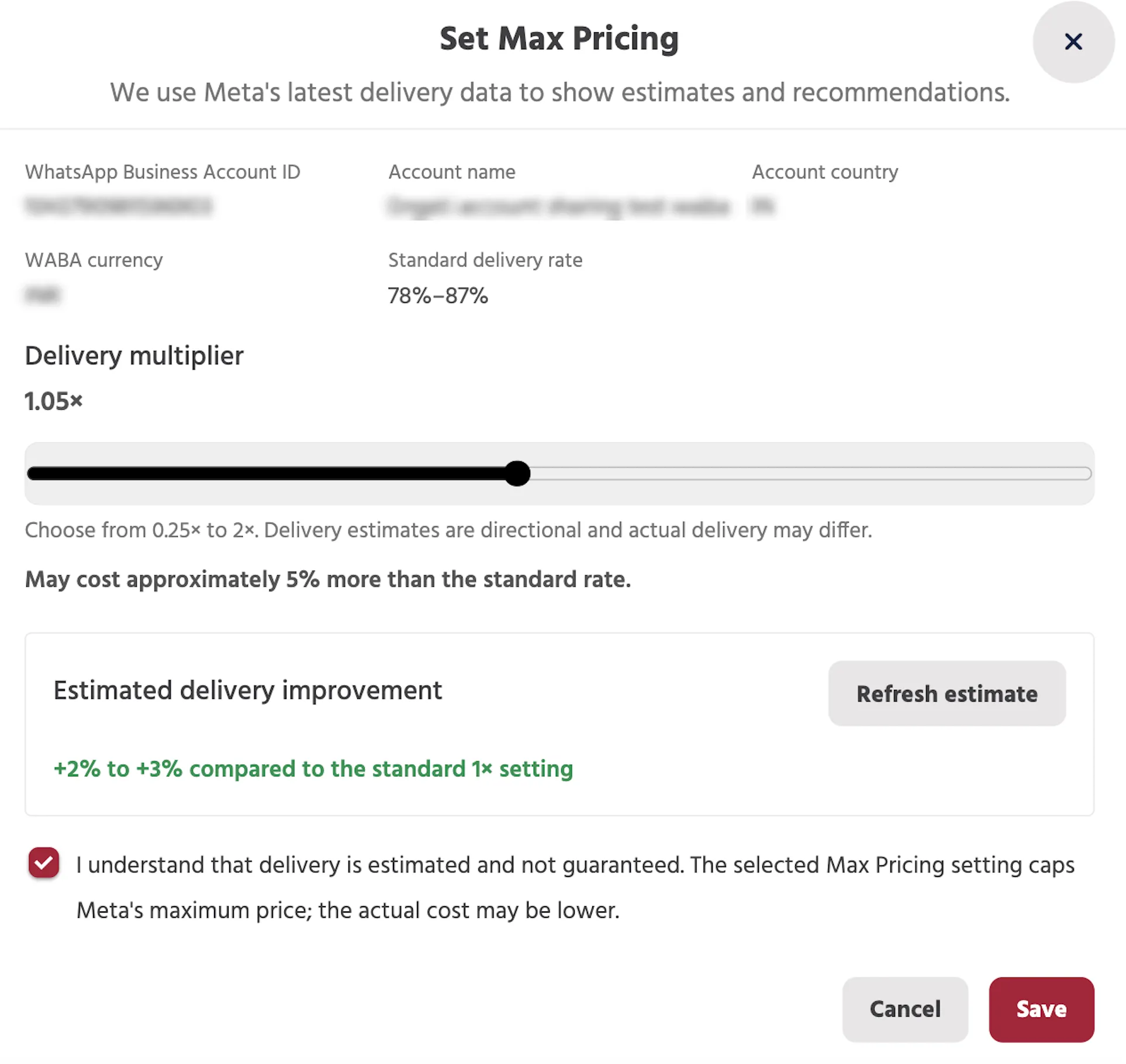
Set Max Pricing Config
The module will showcase a few WhatsApp Business Account (WABA) related details along with additional fields.
Delivery multiplier
This is a slider that shows the complete range of the multiplier available for the connected WABA account. The range may differ for different WABA
Estimated delivery improvement
Once you have selected the desired multiplier, you can click on the Refresh estimate button to check the updated delivery estimate based on the selected multiplier.
Once the configuration is finalised, you can then select the checkbox and click on the Save button to save the Max Pricing settings and continue creating the template.
Broadcast Level Bids
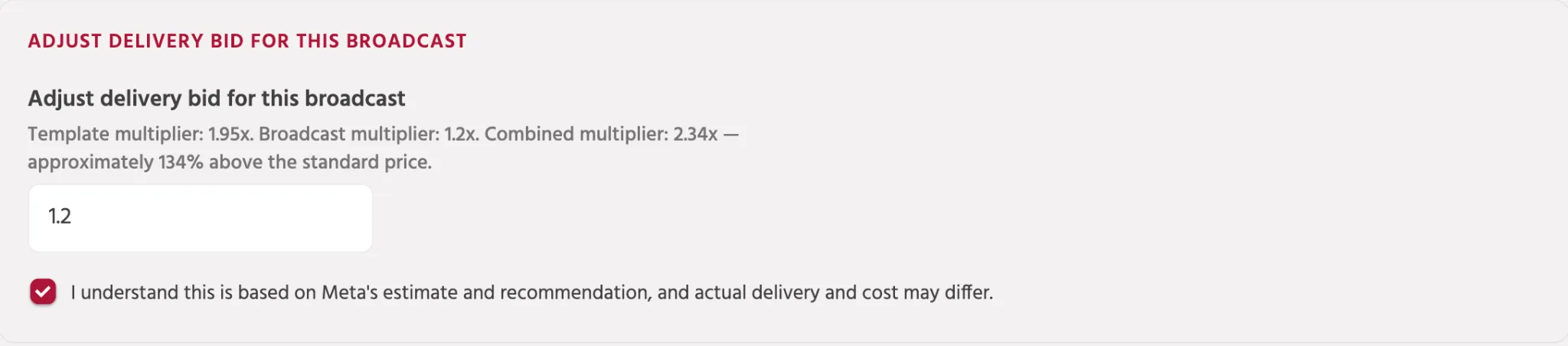
Adjust delivery bid for a broadcast:
While creating a broadcast with a Max Pricing enabled template, you can further also select a multiplier at a broadcast level as well. This multiplier will be then combined with the actual template level bid as well as per the below formula:
Standard Rate x Template multiplier x Broadcast multiplier x Target user count = Max price for the broadcast
Broadcast CreationBroadcast Creation
If you face any issues or queries please reach out to us at [email protected].