Step 6 — Set Up Memory (Optional)
3 min
Memory helps your agent remember or preload information so conversations feel more consistent.
Steps
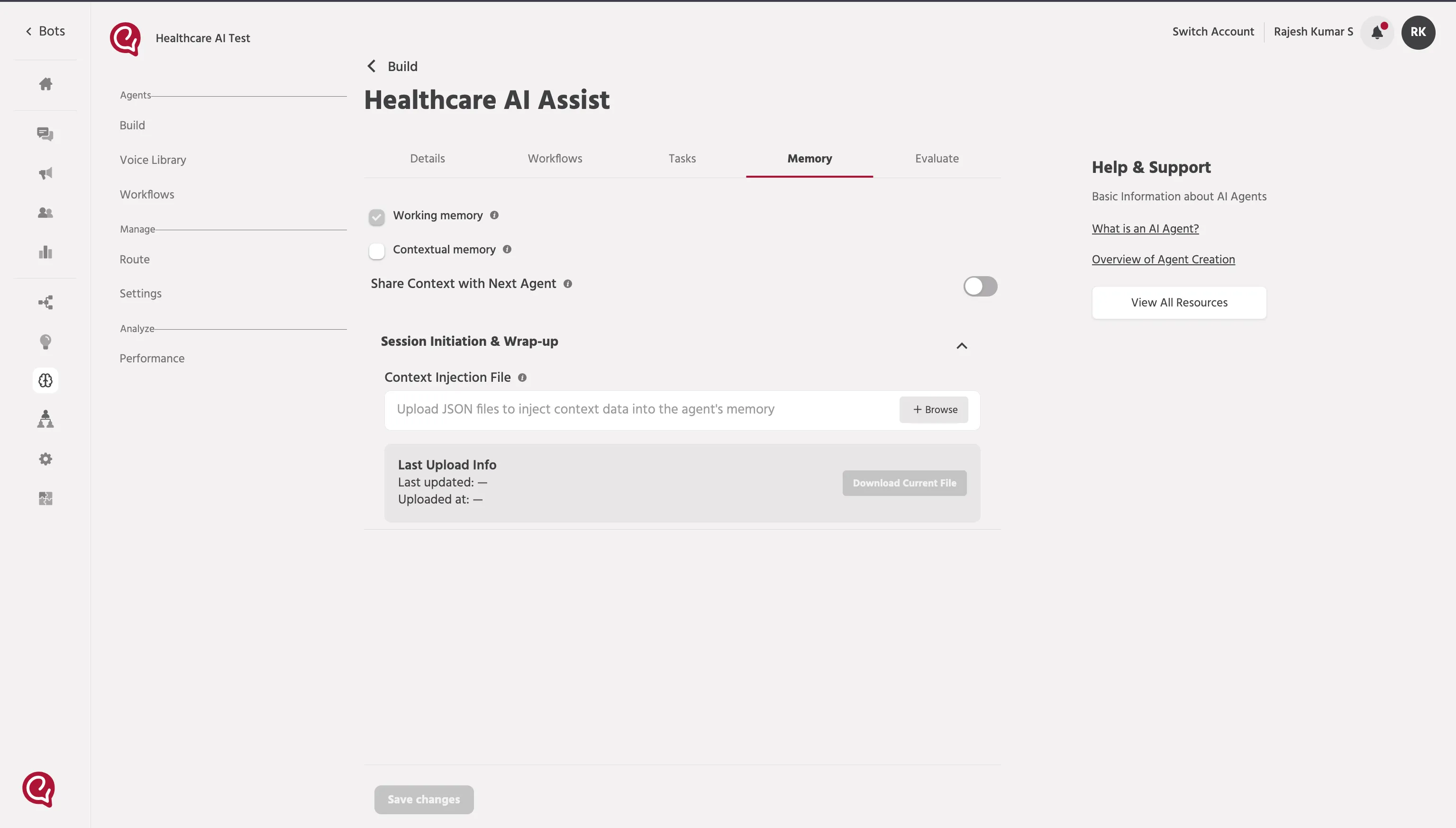
- In the agent setup screen, click Memory.
- (Optional) Upload a Context Injection File to preload known information into the agent.
What you can store (examples)
- Product information
- Service rules / policies
- FAQs or knowledge data
Upload it inside Memory settings under Context Injection File.
Use it when you already have information you want injected at the start of the conversation (so the agent needs fewer workflow calls).
Context Injection File
📚 Next steps
Continue to: Step 7 — Evaluate + Review & ConfirmStep 7 — Evaluate + Review & Confirm