Step 4 — Set Up Workflows
2 min
In this step, you connect the workflows that your agent can use (only if your agent needs actions/tools).
Steps
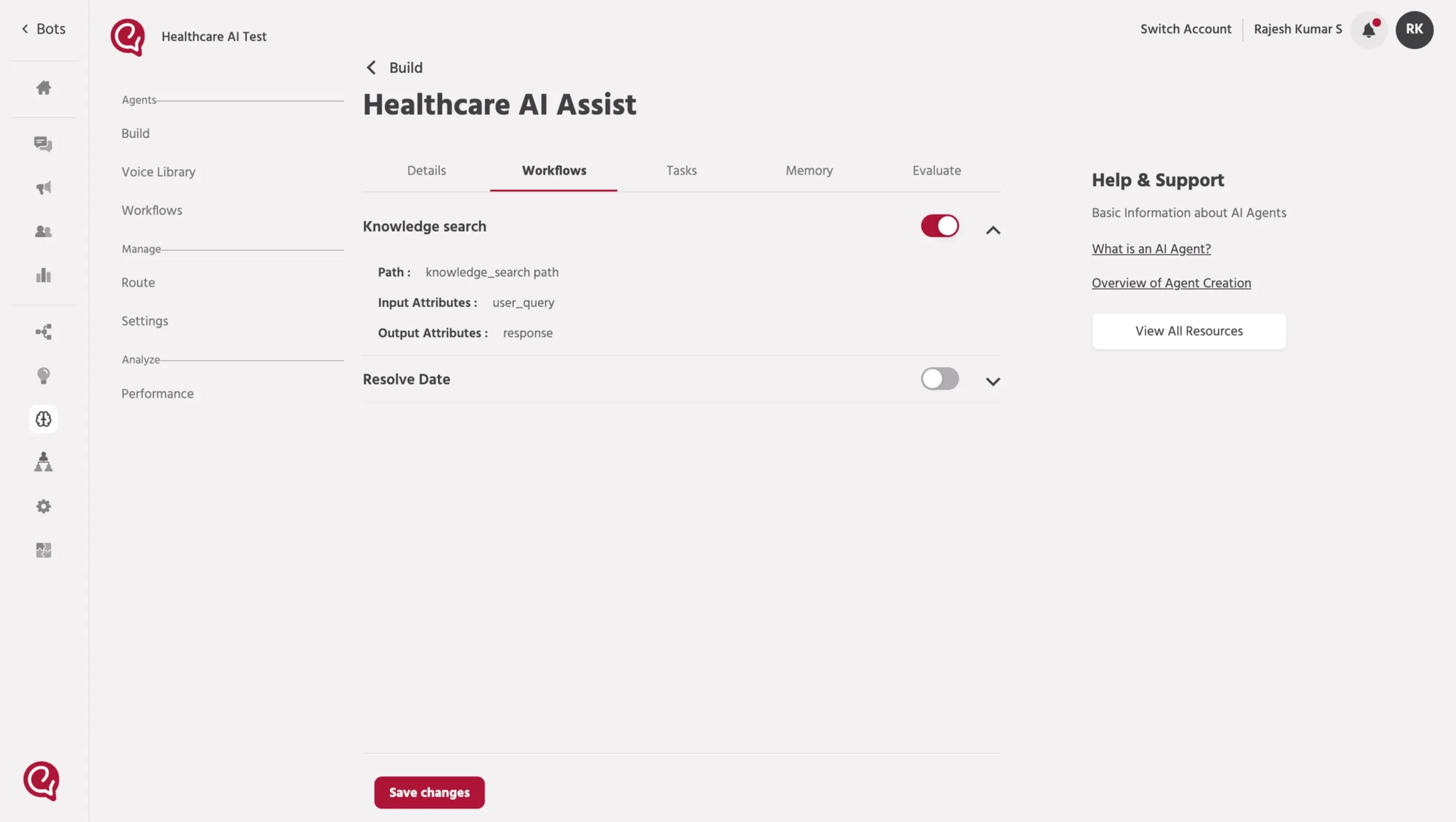
- In the agent setup screen, open the Workflows tab.
- Turn ON the workflows your agent should be allowed to run.
- Example:
- knowledge_search
- save_request
- Confirm each workflow is already built with the correct:
- Path
- Input Attributes
- Output Attributes
Need help creating workflows?
Refer to: 4. Workflow SetupGo to Workflows
Support
If you face issues, contact: [email protected].
📚 Next steps
Continue to: Step 5 — Add Tasks (Prompt Writing)Step 5 — Tasks (Prompt Writing)