Analytics for Broadcast and Campaign
We introduced an analytics feature for the broadcasts and campaigns to give the user a better understanding and track the performance of his broadcasts and campaigns. This feature helps the user to plan and manage upcoming broadcasts and campaigns.
Availability
This is available only for WhatsApp (360dialog as a service provider) and RCS.
Broadcast analytics
Step 1: Navigate to Broadcast > Broadcast History
Step 2: Beside the broadcast you want to analyse click on the "View Broadcast"
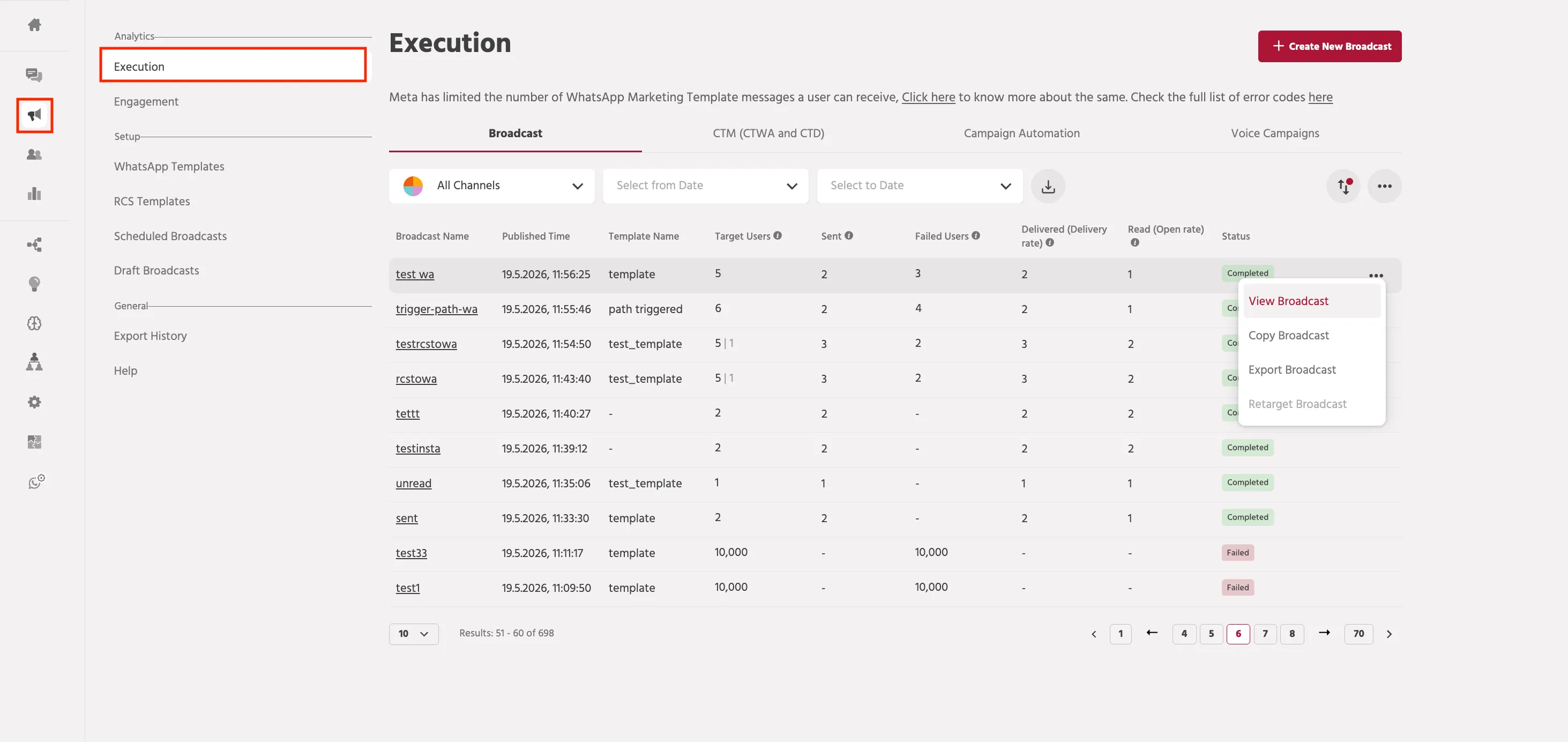
Step 3: You can track analytics of the template message sent over the WhatsApp/RCS channel. It can display analytics such as the number of messages sent, delivered, and read along with their click rates.

You can also track the click-through rate. The analytics for action buttons are shown in the pie chart diagram.

Campaign analytics
Once a campaign is live, you also get to track how many messages were sent, delivered and read by your chatbot users.
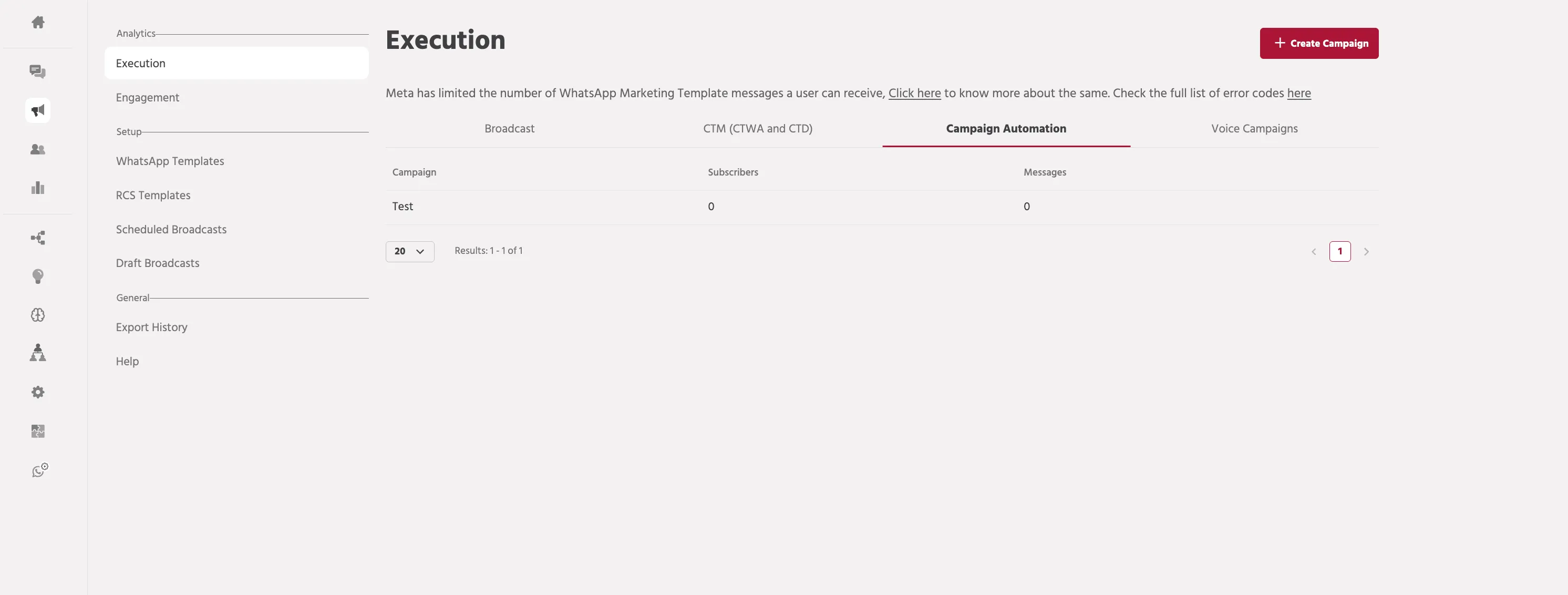
Note that delivery and read receipts tracking is a channel-dependent feature and might be inconsistent if there are multiple channels configured including some that don’t provide this data.
CTWA
The Click-to-WhatsApp Ads (CTWA) Analytics tab offers a detailed overview of user engagement through your Click-to-WhatsApp Ads. This tab is designed to help you track and analyze how effectively your ads are driving user interactions and engagement.
Here's what you can monitor:
- CTWA Users: Track engagement from Instagram/Facebook ad clicks.
- Unique CTWA Users: Count distinct users for individual engagements.
- User History: Analyze engagement trends by day/week across Facebook and Instagram platforms.
Archival and Download on Template Analytics
Previously, broadcast analytics only included data from broadcasts sent via the platform, excluding those triggered via API. This limited visibility into overall broadcast performance.
- The feature is designed for businesses using wrapper APIs and API triggers to send broadcasts.
- Now, broadcast analytics include data from wrapper API and API-triggered broadcasts, providing a comprehensive view of all sent broadcasts.
Users can now export all broadcasts together or export individual broadcast data using the dropdown menu, which appears when clicking the three vertical dots at the end of each broadcast entry.
If you face any issues or queries please reach out to us at [email protected].