Two-Factor Authentication
Two-Factor Authentication (2FA) provides an additional layer of security by requiring a second verification factor during login.
Engati supports two types of 2FA:
- Email OTP
- Authenticator App (Recommended)
Authenticator App-based authentication provides stronger security and is recommended for all users.
Enable Two-Factor Authentication
Step 1
Go to Profile > Account settings > Account Security > Authentication Mode
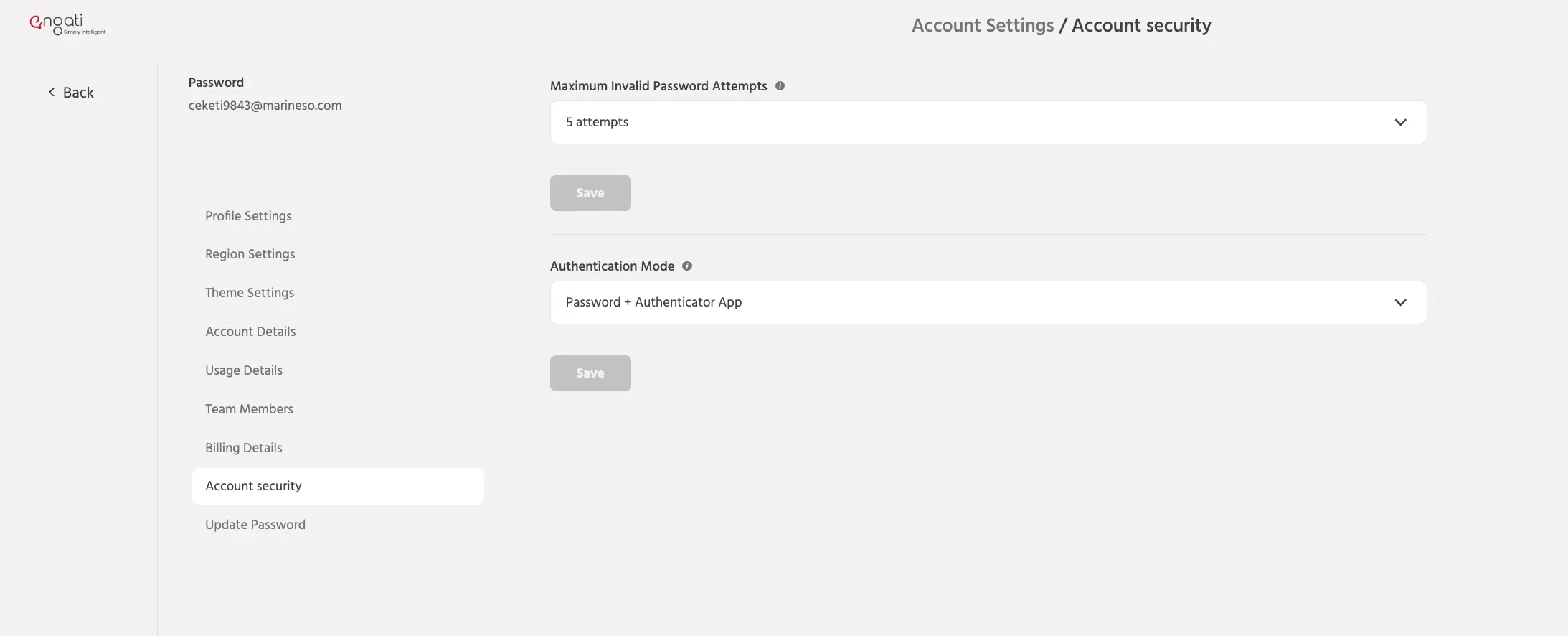
Step 2
Open the Authentication Mode selector.
Based on your account entitlement, you may see the following options:
- Password Only
- Password + Email OTP
- Password + Authenticator App
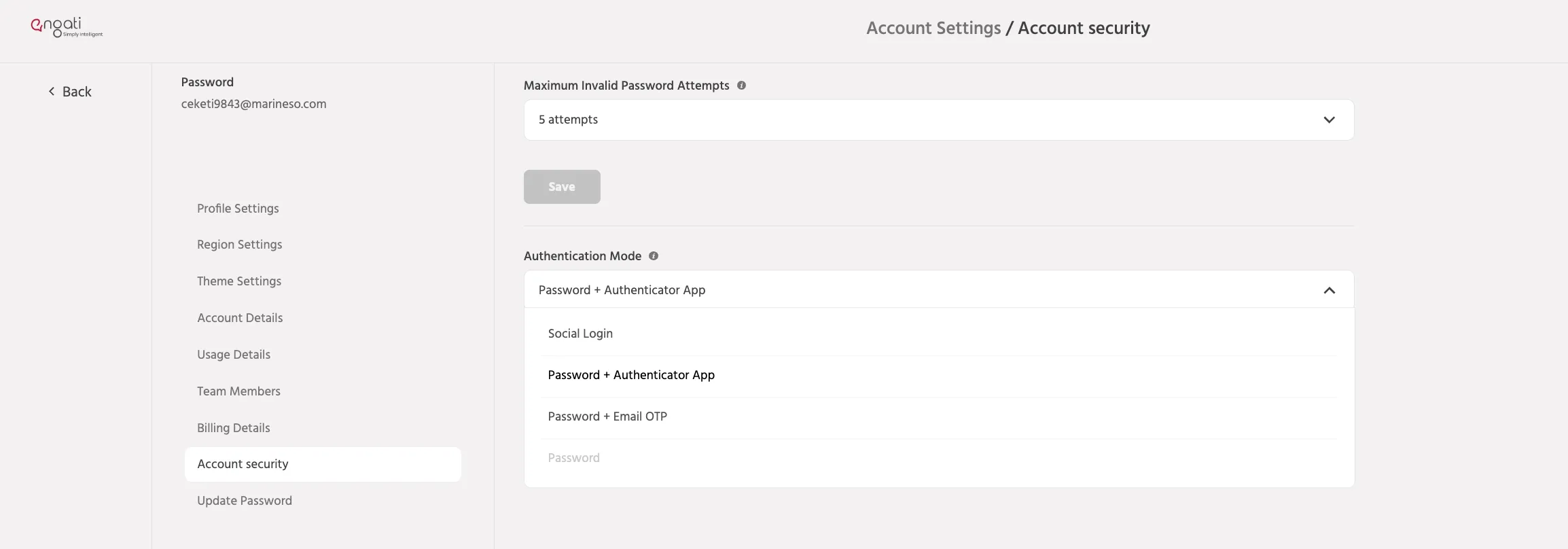
Step 3
Select your preferred authentication method.
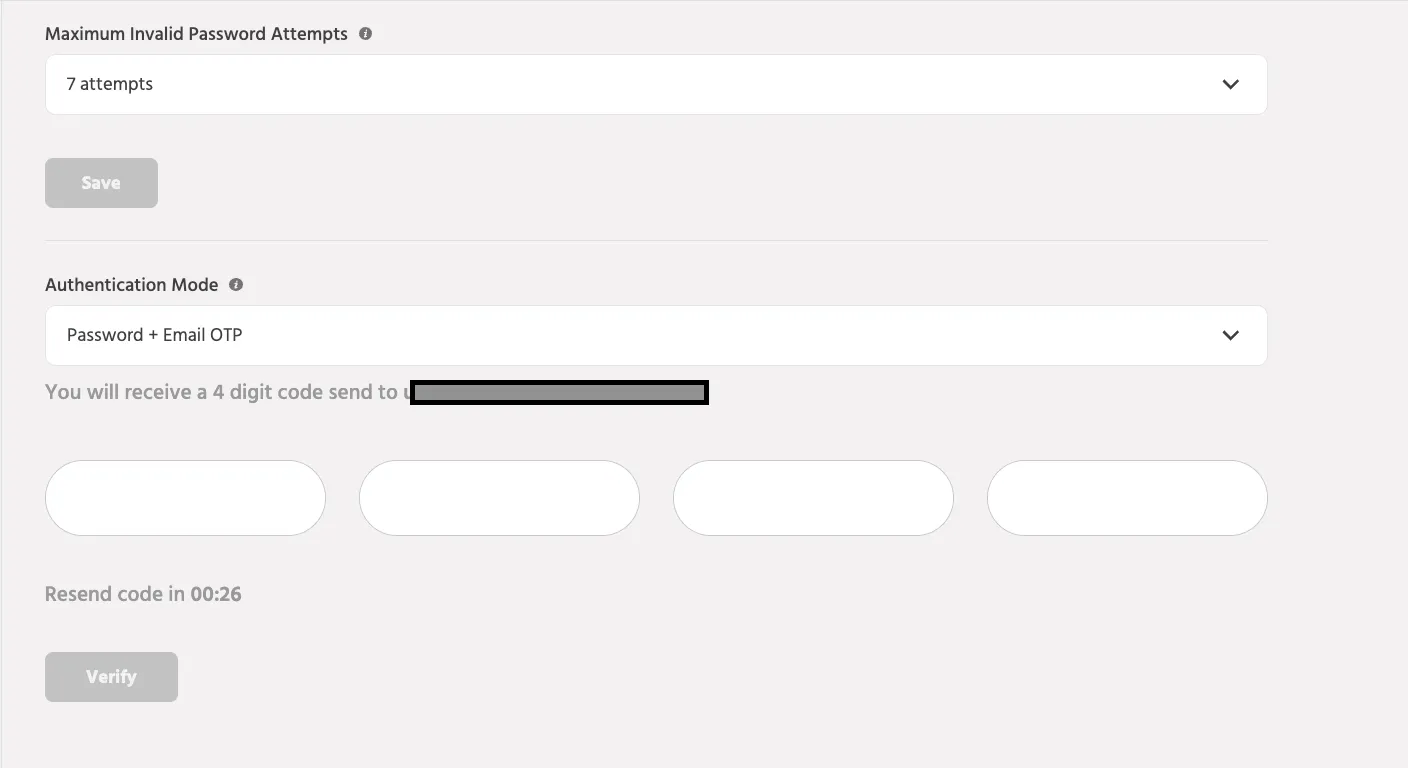
Email OTP
When Email OTP is selected:
- An OTP is sent to your registered email address.
- Enter the OTP to verify your identity.
- Complete the setup process.
Authenticator App
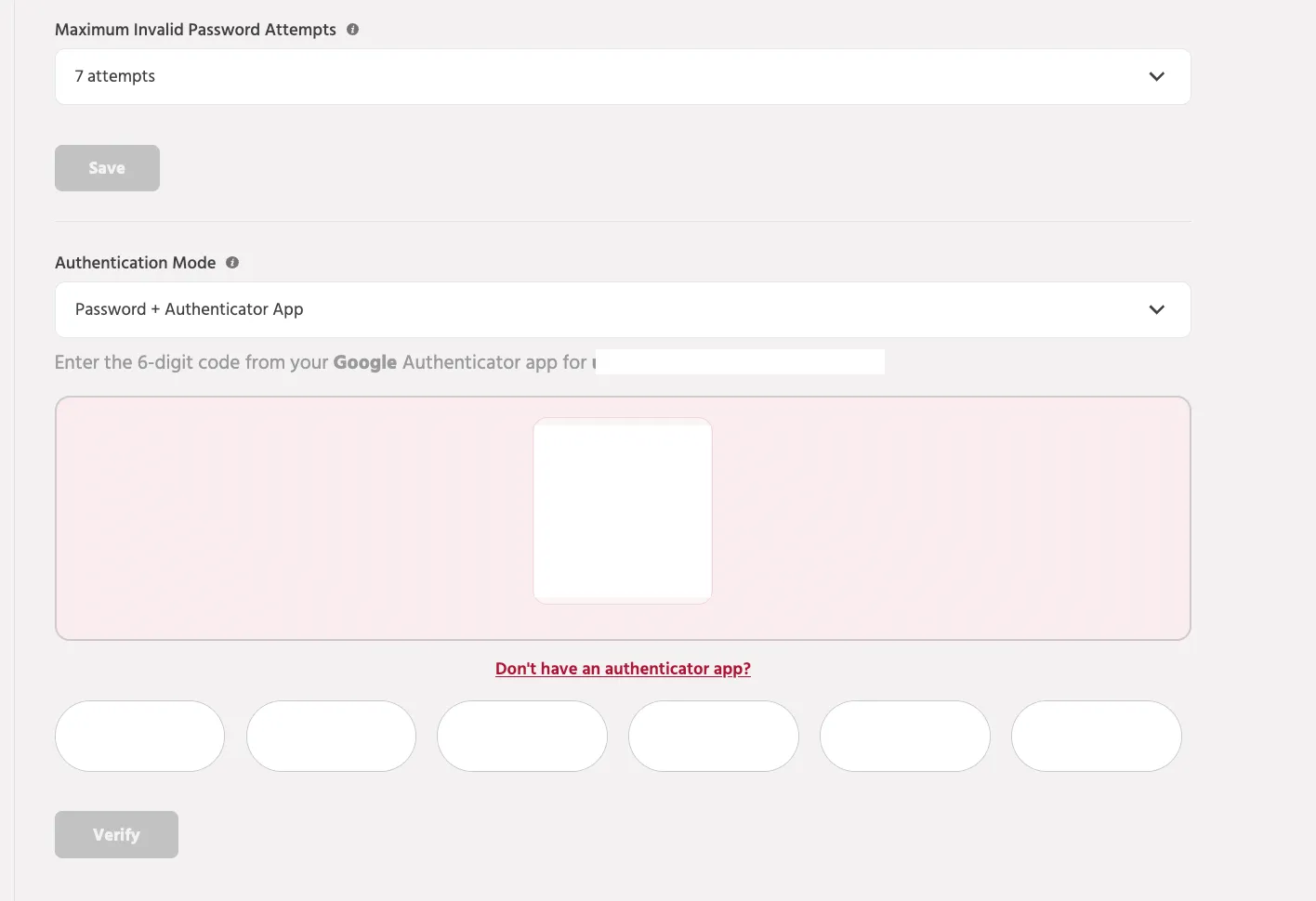
When Authenticator App authentication is selected:
- A QR code is displayed.
- Open the Google Authenticator application Download Google Authenticator: Get Google Authenticator (iOS) Get Google Authenticator (Android)
- Scan the QR code.
- Enter the verification code generated by the authenticator application.
- Complete the setup process.
Once verification is successful, Authenticator App-based 2FA is enabled for your account.
User Invitation and Onboarding
Newly invited users automatically inherit the authentication method configured by the account owner.
For Email OTP Accounts
Users will receive a standard invitation email and complete verification using Email OTP.
For Authenticator App Accounts
Invitation emails include a QR code for authenticator setup.
Additionally, during the user's first login:
- The setup QR code is displayed again within the application.
- The user scans the QR code using their authenticator application.
- The user verifies the generated code.
- Account setup is completed.
This ensures users can successfully configure their authenticator application even if the original invitation email is unavailable.
If you face any issues or queries please reach out to us at [email protected].