Text Message Template
A Text Message template allows you to send a simple text-based message to users through the RCS channel. This format is useful for delivering clear and direct communication without media elements.
Text messages can include message content, variables for personalization, and interactive buttons, enabling users to take actions directly from the conversation.
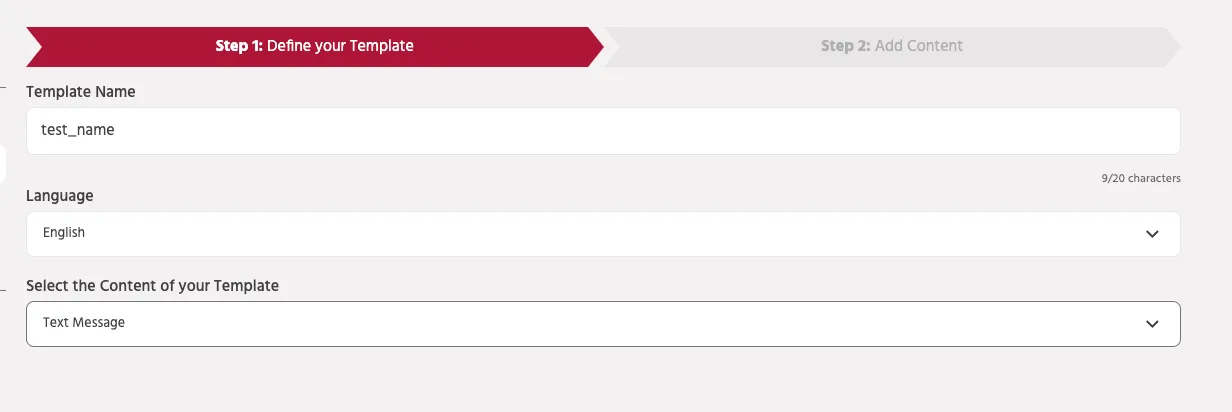
Creating a Text Message Template
To create a Text Message template:
- Enter a Template Name to identify the template within the platform.
- Select the Language for the message.
- Under Select the Content of your Template, choose Text Message.
Once the template type is selected, you can proceed to add the message content.
Body Text
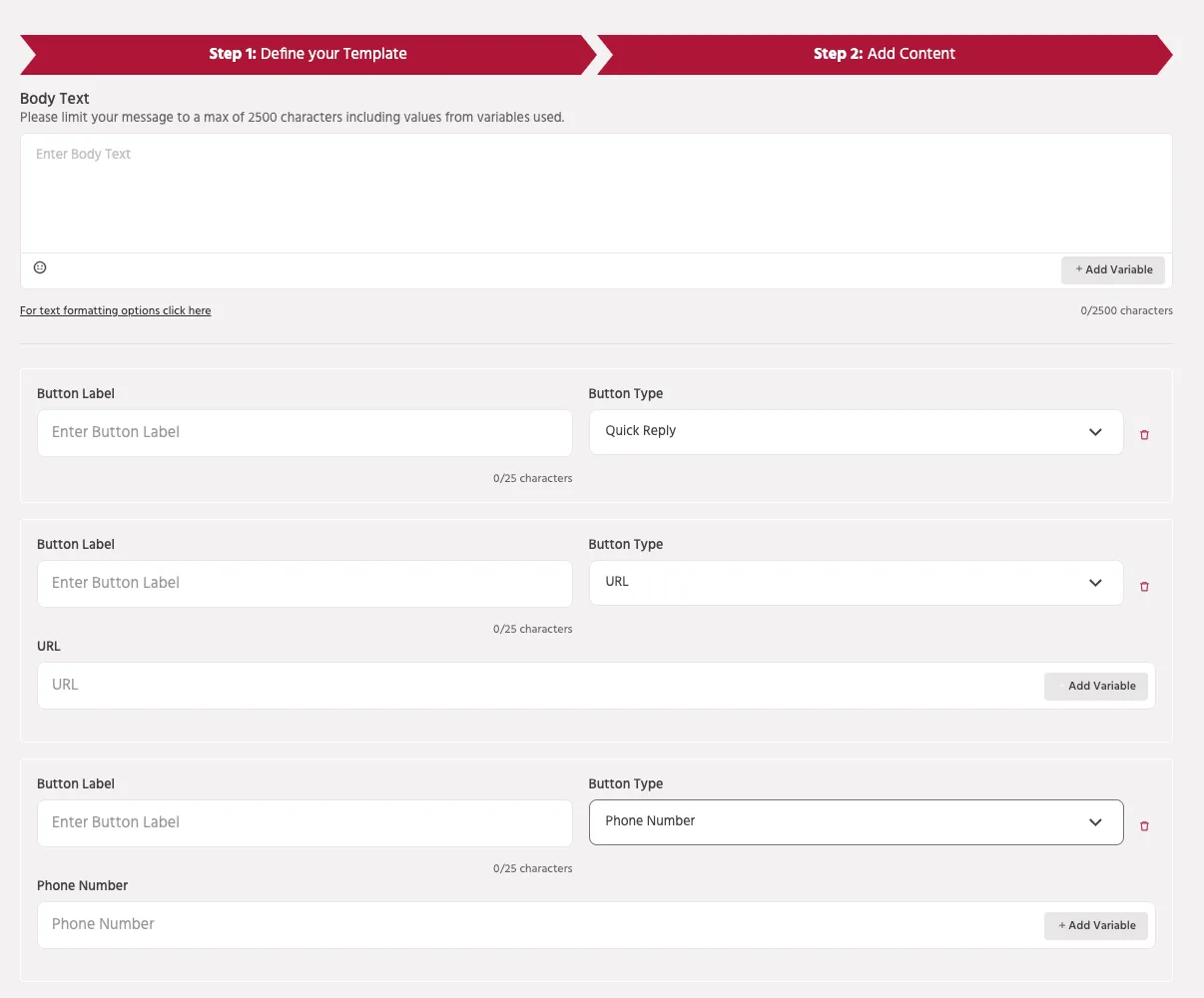
The Body Text field contains the main message content that will be sent to users.
- Maximum length: 2500 characters
- The character count includes values inserted through variables.
You can also insert variables to personalize messages dynamically.
Example:
Variables allow the system to automatically replace placeholders with user-specific data when the message is sent.
Buttons
Buttons allow users to interact with the message and perform actions directly from the chat.
Supported button types include:
Quick Reply Sends a predefined response back to the bot, allowing the conversation to continue based on the user's selection.
URL Button Opens an external webpage when the user clicks the button.
Phone Number Button Allows users to initiate a phone call to a specified phone number.
Each button requires a Button Label, which defines the text displayed to the user.
Use Cases
Text message templates are commonly used for:
- Order confirmations
- Appointment reminders
- Notifications and alerts
- Customer support updates
- Service announcements
This format ensures clear communication while still allowing users to interact with the message through buttons.
Best Practices
- Keep messages concise and clear.
- Use variables for personalization when possible.
- Limit the number of buttons to maintain readability.
- Ensure button labels clearly describe the action.
- Test templates before sending them to users.