Sending Broadcast Using MM Lite – WhatsApp (Beta)
We are excited to introduce support for Meta’s Marketing Messages Lite (MM Lite) API, now available on the Engati platform. This API is designed to potentially enhance delivery performance and optimize targeting for your WhatsApp marketing broadcasts using Meta’s internal intelligence signals — all at the same cost as Cloud API-based messaging (as of July 1st, 2025).
1. Overview
Meta’s MM Lite API uses internal data signals to determine which users in your uploaded contact list are most likely to receive your marketing messages successfully.
In addition to the regular broadcast to the entire list, MM Lite intelligently selects and prioritizes delivery based on Meta’s insights — improving delivery performance while reducing delivery waste.
This API is ideal for businesses looking to:
- Maximize delivery rates for marketing messages.
- Improve message performance without needing to change template structure.
- Future-proof their broadcast strategy with Meta’s smart delivery system.
2. Feature Highlights
2.1 Optimized Delivery Performance
High-quality messages may experience equal or higher delivery rates compared to standard Cloud API broadcasts — while retaining the same pricing.
2.2 Smart Audience Filtering
Broadcasts are delivered based on the uploaded list, using Meta’s backend intelligence to identify recipients with the highest delivery probability.
2.3 Conversion Tracking Support
Compatible with Meta Pixel and Conversions API for tracking user actions such as:
- Add to Cart
- Checkout
- Purchase
Note: No changes are needed if you already use conversion tracking on your existing setup.
2.4 Exclusive Capabilities
MM Lite includes advanced features not available in Cloud API:
- Message Time-to-Live (TTL)
- Optimized message filtering using Meta’s internal delivery quality signals
2.5 Seamless Template Compatibility
No updates are required to your existing templates or payloads. MM Lite works with your current marketing templates without any structural changes.
3. Enablement Process
3.1 Steps to enable MM Lite on FBM
Step 1: Open WhatsApp Manager
Step 2: Check for Alerts
On the Overview page, look for an alert message: “Accept terms to get started”
Step 3: Accept Terms
Click on Accept Terms and follow the on-screen instructions. This step completes onboarding for all eligible WABAs under your account.
Once this is enabled, you should be able to view “Marketing - lite” option in the Message Delivery Insights

If you have any questions or require assistance, reach out to our support team at [email protected]
4. Broadcast Toggle Visibility
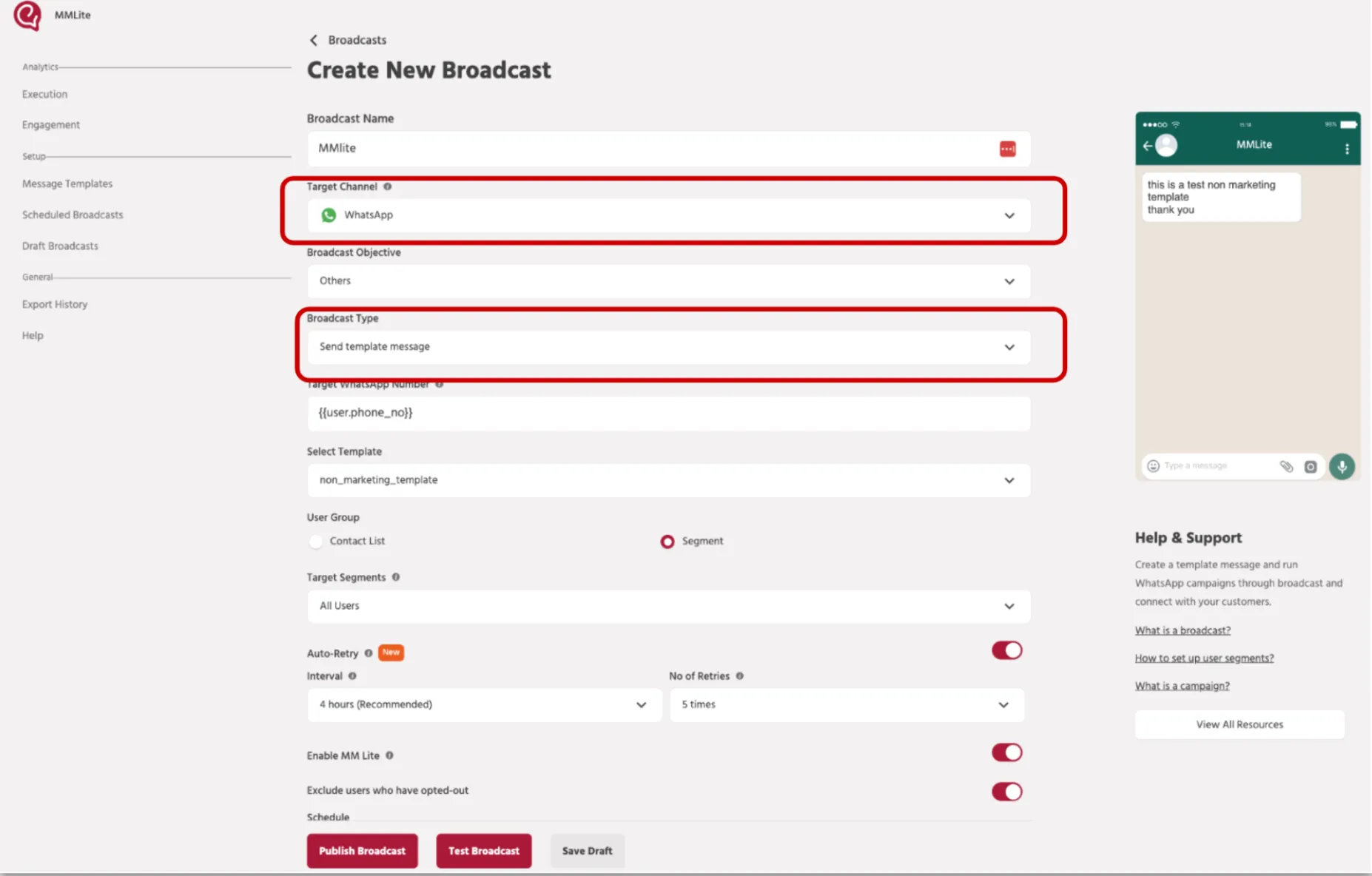
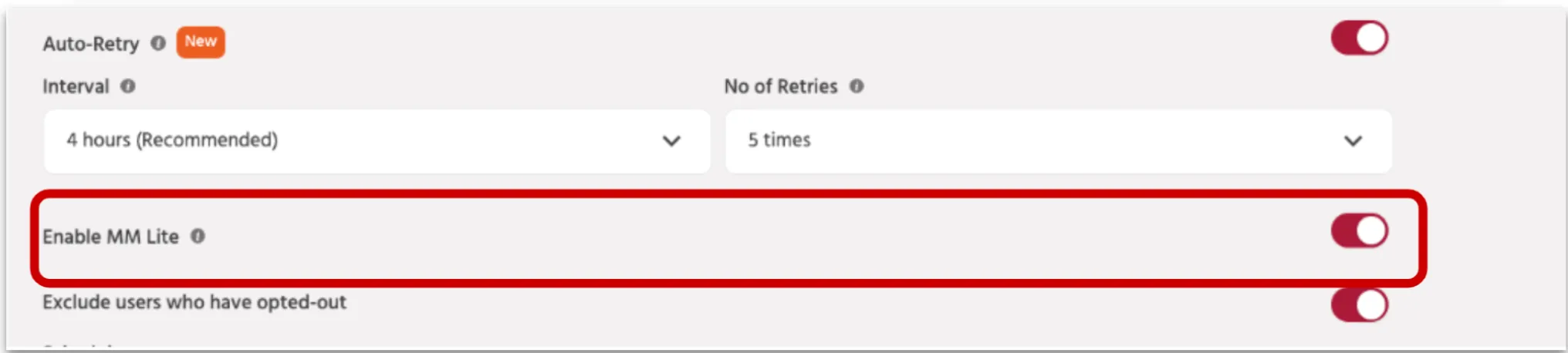
Once MM Lite is successfully enabled, you will see the “Enable MM Lite” toggle when creating a new broadcast, only if all of the following conditions are met:
- Channel: WhatsApp
- Broadcast Type: Marketing
- Message Type: Template Message
Screenshot Placeholder: Enable MM Lite toggle
5. Key Notes Post Enablement
5.1 Analytics & Reporting
Analytics remain unchanged. All metrics are available under the Execution page.
5.2 Template Compatibility
Continue using your existing marketing templates. No changes to template structure or message payload are needed.
5.3 Limitations
- Available only for Marketing message templates
- Not supported for Utility or OTP message types