Password & Security Settings
The Password & Security Settings section allows users to manage their account authentication method and update their password.
To improve account security, Engati supports multiple authentication methods with built-in controls that prevent users from moving to a less secure authentication option.
Password Settings
Authentication Methods
Engati supports the following authentication methods:
- Password Only
- Two-Factor Authentication (2FA) using Email OTP
- Two-Factor Authentication (2FA) using an Authenticator App (New)
- Social Login
Authentication Security Hierarchy
Authentication methods follow the security hierarchy below:
Password Only < 2FA (Email OTP) = 2FA (Authenticator App) < Social Login
Users can only switch to an authentication method that maintains or improves their current security posture.
Note: Downgrading to a less secure authentication method is not permitted.
Change Authentication Mode
The Change Authentication Mode option has been relocated from the Password Settings section.
Users can access Authentication Mode management from the updated Account Security settings area.
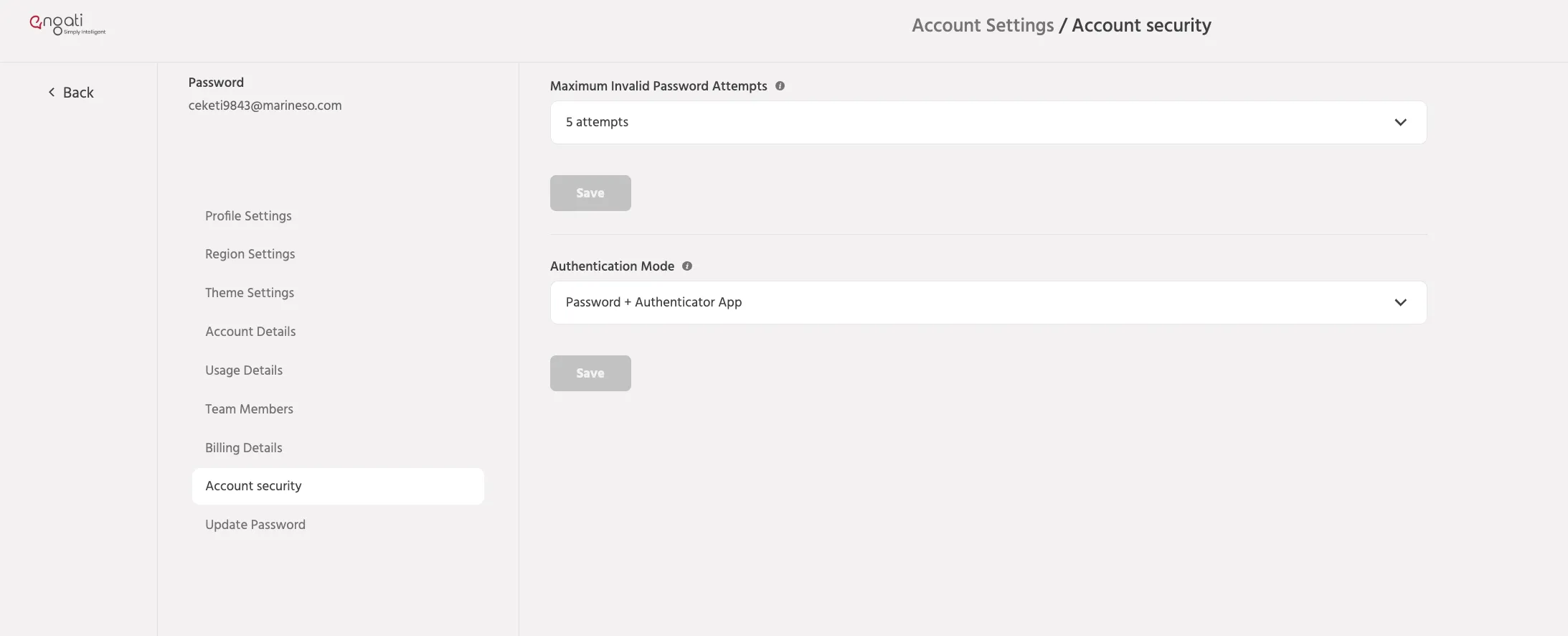
Maximum Invalid Password Attempts : No. of failed attempts prior to the portal user account being locked. An email notification is shared upon locking of the account.
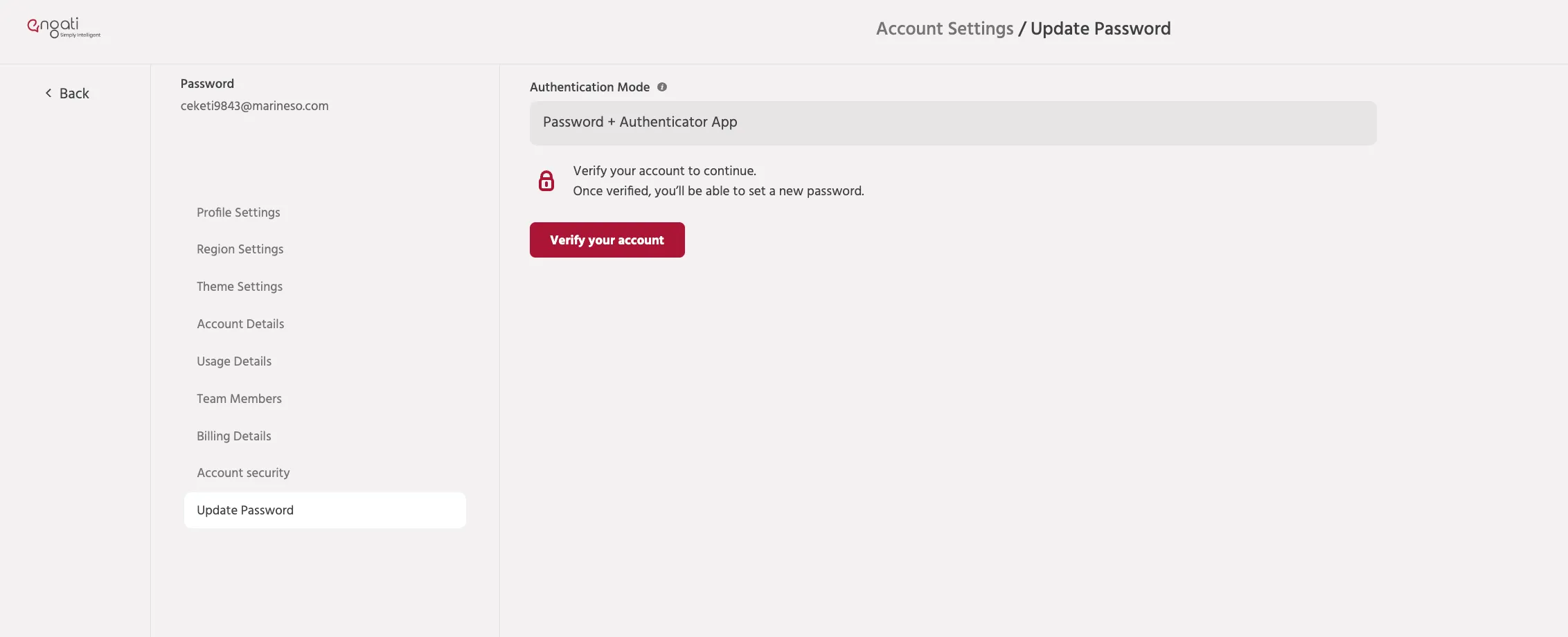
Password Update
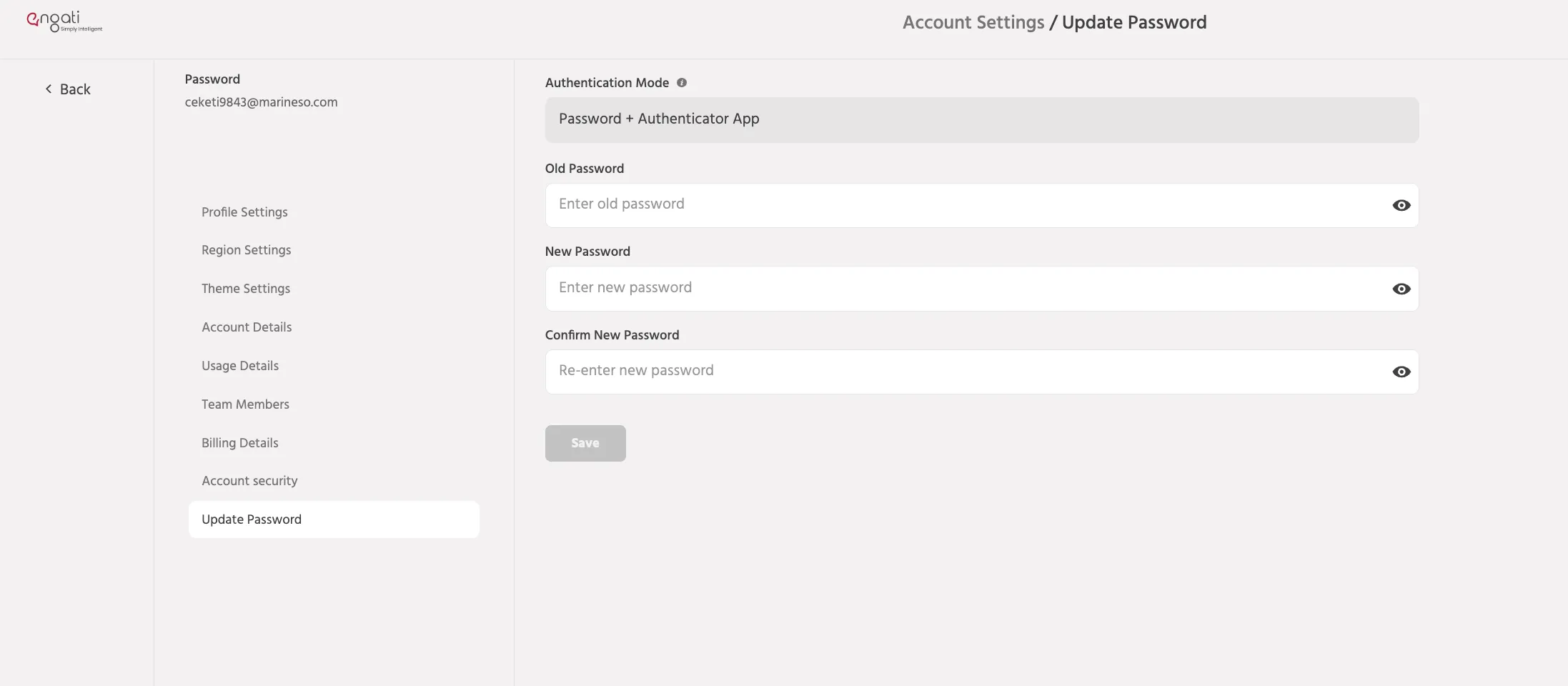
The previous Password Security section has been renamed to Update Password.
This section is now dedicated solely to:
- Changing the account password
- Updating existing passwords
- Managing password credentials
Updated Password Policy
Engati now follows NIST Password Guidelines for newly created and updated passwords.
Key changes include:
- Stronger password validation requirements
- Improved password security standards
- Better support for long passphrases
Important
Existing passwords created under the previous policy will continue to work.
However, any new password or password update must comply with the latest password policy requirements.
Removed Features
The following settings are no longer available:
- Password Expiry
- Password History
These options have been removed as part of the transition to NIST-aligned password management practices.
Single Sign-On (SSO)
Users authenticated through Single Sign-On (SSO) can only access their accounts using their configured SSO provider.
Logging in using Email + Password is no longer supported for SSO-enabled users.
If you face any issues or queries please reach out to us at [email protected].