Multiple URL Training
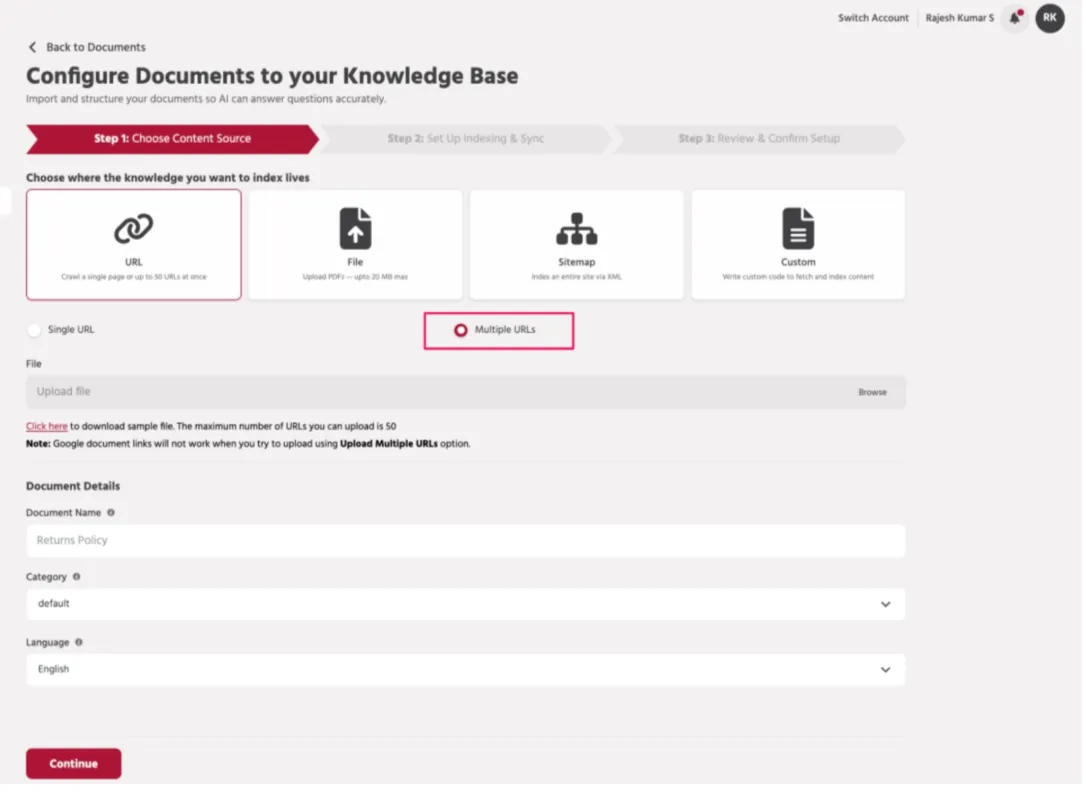
Step 1 — Select Multiple URL Source
Select URL as the content source and choose Multiple URLs
Step 2 — Upload URL List
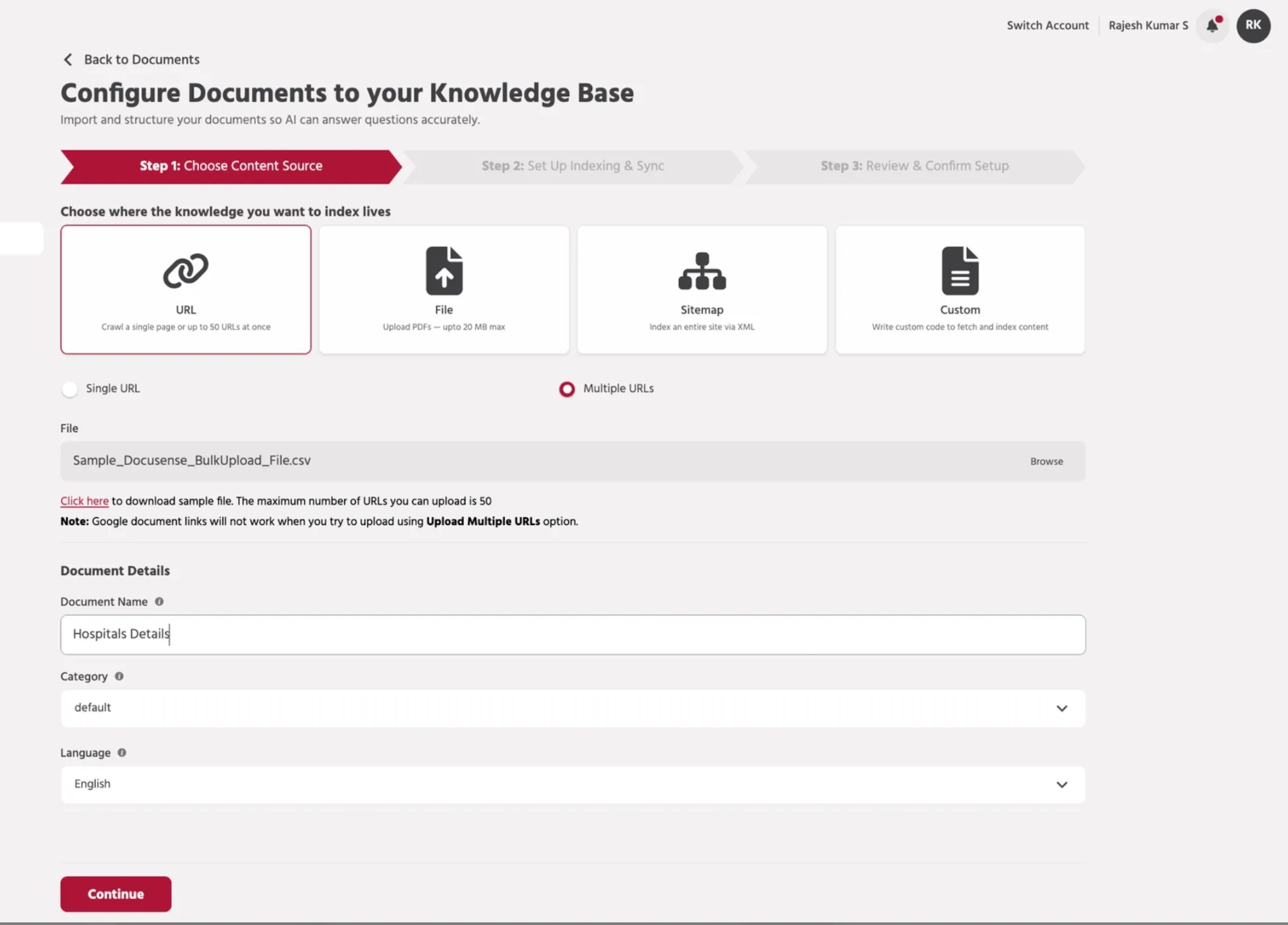
Upload a CSV file containing multiple webpage URLs.
Click "Click here" to download the sample file format.
The maximum number of URLs you can upload is 50. Enter the document name, select a category, and choose the language used across the URLs.
Note: Google document links will not work when using the Upload Multiple URLs option.
Step 3 — Configure Indexing
Review the indexing configuration settings before proceeding.
Step 4 — Review & Start Indexing
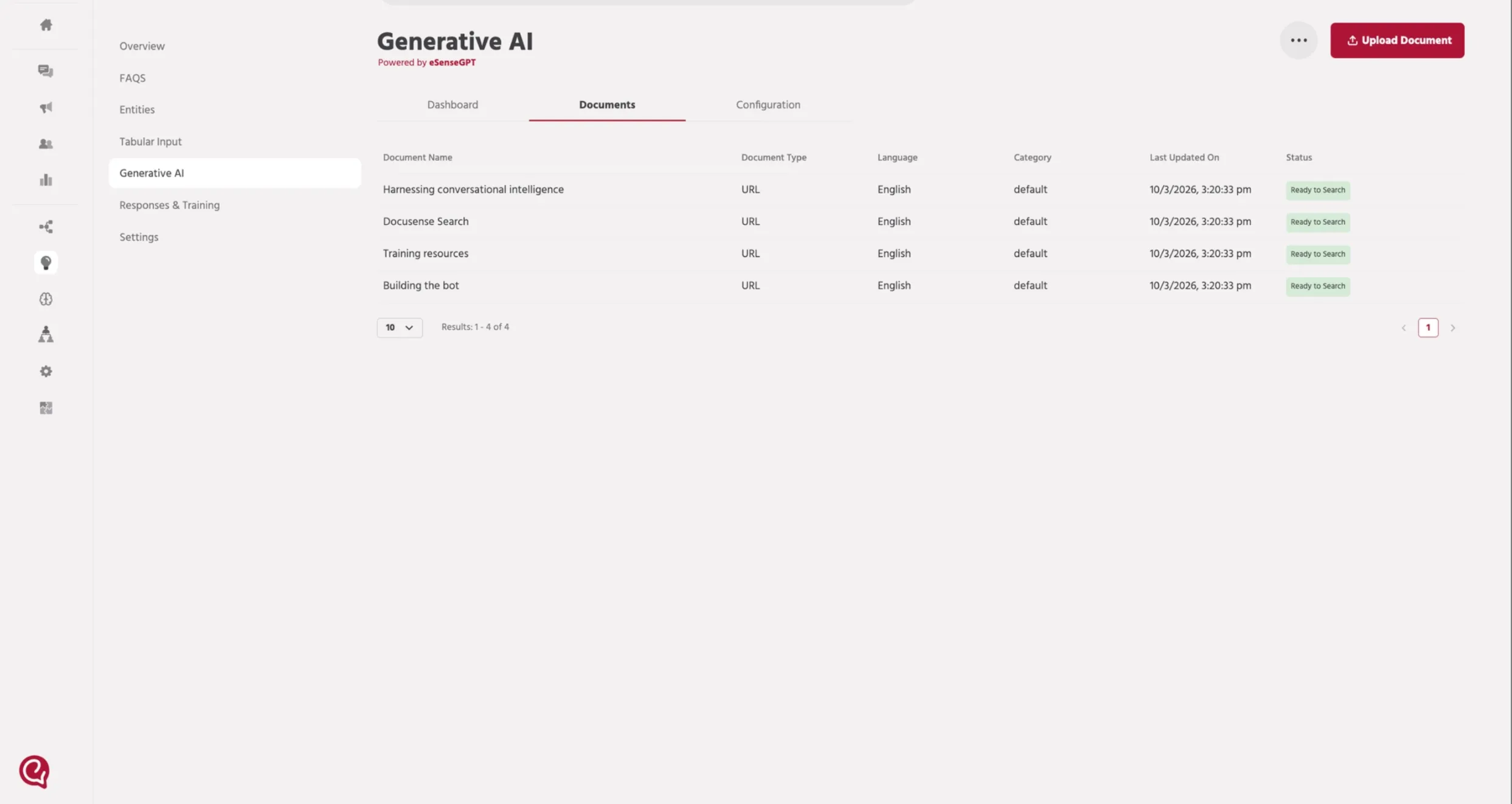
Confirm the URL sources and document details.
Click Save & Start Indexing to begin crawling and indexing all URLs.
Once the URL indexing status shows Ready to Search, continue configuring the agent.
📚 Next Steps
➡️ Proceed with 3. Path SetupPath setup for Agents to enable the AI agent to retrieve knowledge from the trained URLs.