Mongo DB Path Setup
This section explains how to configure a Mongo retrieval path after the custom script data is stored in the database.
followed by the step-by-step setup.
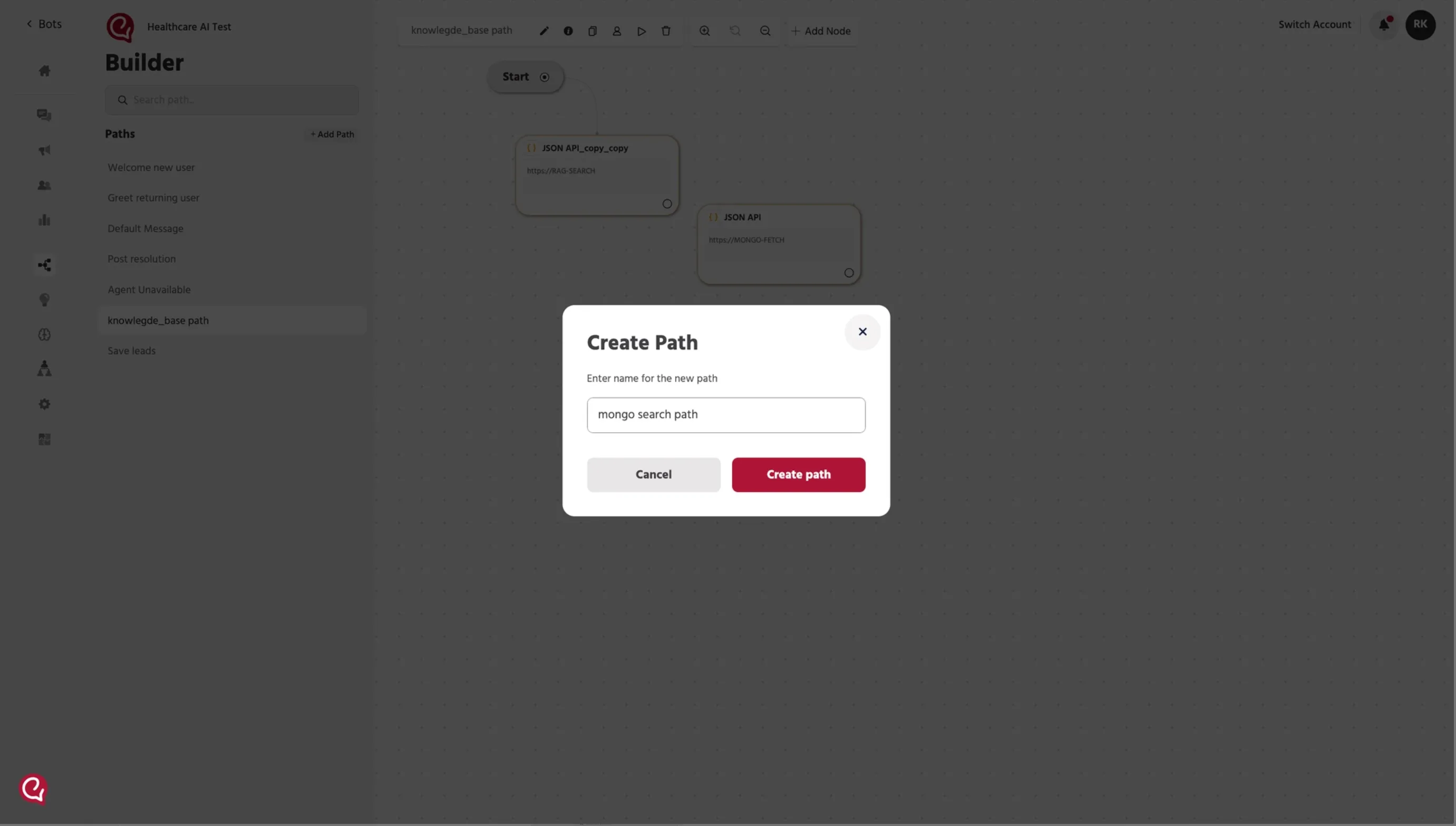
Step 1 — Create a New Path
Go to the Builder section.
Click + Add Path and create a new path.
Example path name: mongo search path
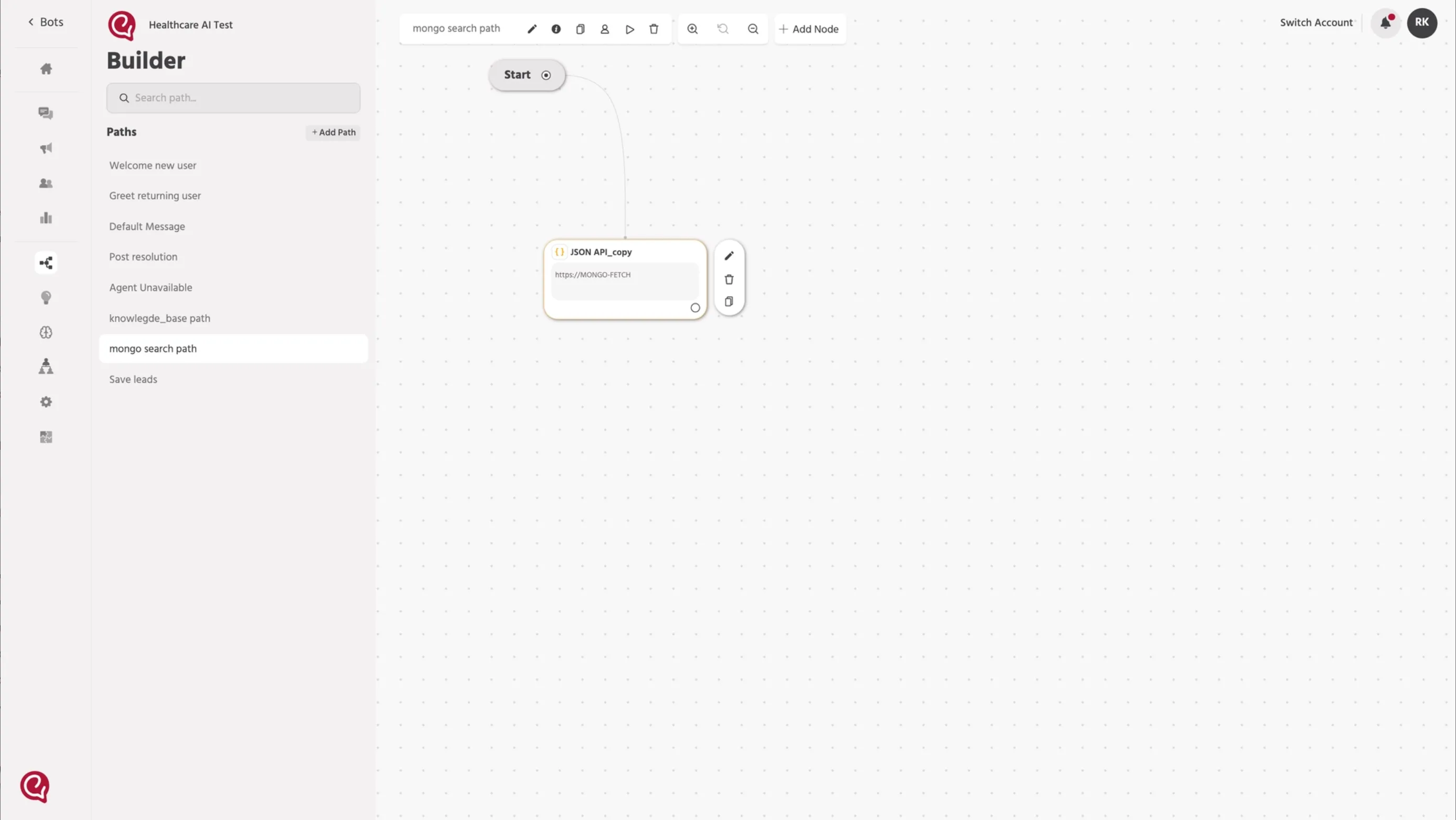
Step 2 — Add a JSON API Node
Inside the path, click Add Node and select JSON API.
This node will be used to fetch stored Mongo data.
Step 3 — Configure the JSON API Request
Set the request method to POST.
In the Request URL field, enter the Mongo API endpoint.
URL:
Go to the Body tab and set Content Type as JSON.
Use the following request body:
This request retrieves data by matching the exact field value passed in user_query.
Request Body Explanation
Field | Description |
|---|---|
bot_ref | Unique identifier of the bot. This ensures the request fetches data specific to that bot. |
fields_to_fetch | Specifies which fields should be returned from the database. Only the listed fields will be retrieved. |
filters | Used to search for records matching specific field values stored in the database. |
database | Name of the Mongo database where the data is stored. |
collection_name | Mongo collection where the records are stored. In this case it uses the bot ID. |
Example:
If user_query = Cardiology, the API will return the doctor record where Speciality = Cardiology.
Speciality
Step 4 — Test the API Request
Click Send Request to test the API.
The system will prompt you to enter test values for:
- bot.id
- Speciality
Enter sample values and submit the request.
Example:
- bot.id → 145265
- Speciality → Cardiology
Where to Find bot.id? Bot ID (bot.id) – Found in the Builder URL (last number in the URL). Example: 145265
Once the request is successful, the API response will appear in the Response section.
Example response:
This means the system found a matching record from the stored Mongo data.
Step 6 — Map the Response to Attributes
In the Attributes section, create attributes to store the response.
You can store the full response or individual fields.
Example mappings:
or specific values:
This stores the returned Mongo values in attributes for later use in the path.
Step 7 — Save the Node
After testing the request and mapping the response, click Save.
The JSON API node is now ready to retrieve Mongo data during conversations.
How Retrieval Works
- Data is first stored in MongoDB through the custom script
- The JSON API node sends a filter request
- Mongo searches for records matching the exact field value
- The matched result is returned in the API response
- The response is stored in attributes
- Those attributes can be used in the next node to reply to the user
Example
Stored record:
Filter used in request:
Returned result:
📚 Next Step
Once the Mongo API response is stored in an attribute, you can use that attribute in the next node to send the retrieved answer back to the user.
👉 Continue to the next section: 4. Workflow SetupWorkflow Setup