Document Setup Guide
Step 1 — Open Document Training
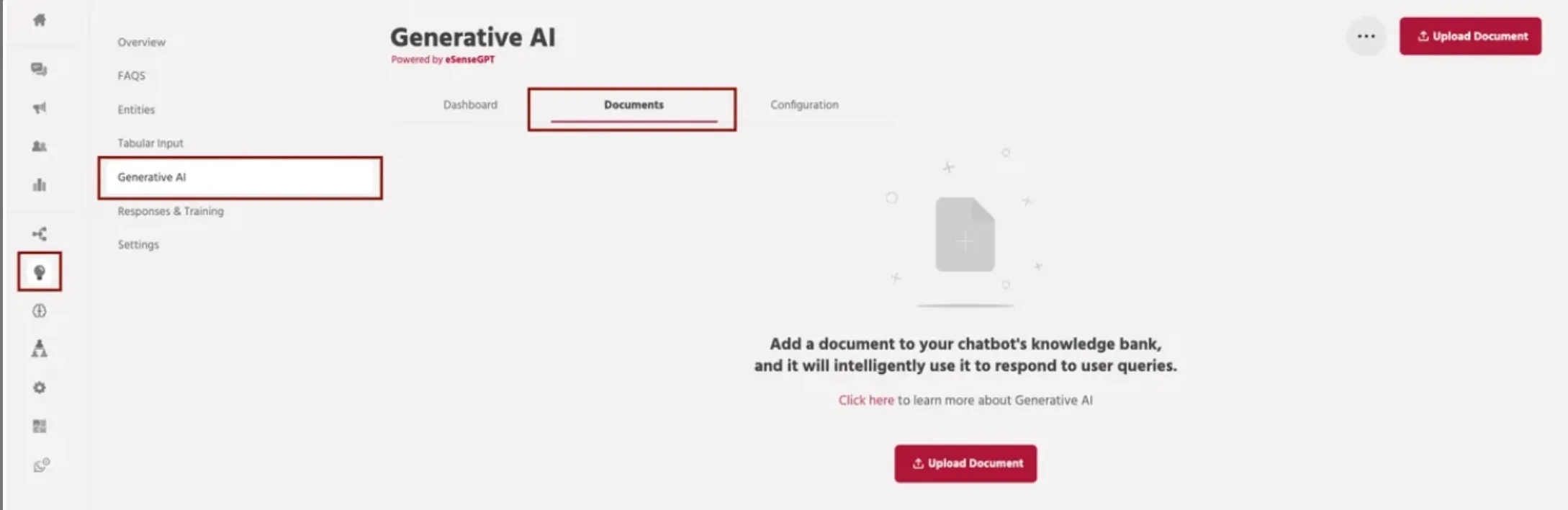
Navigate to Train → Generative AI → Documents.
Click Upload Document to start adding a new knowledge document.
Step 2 — Upload the File
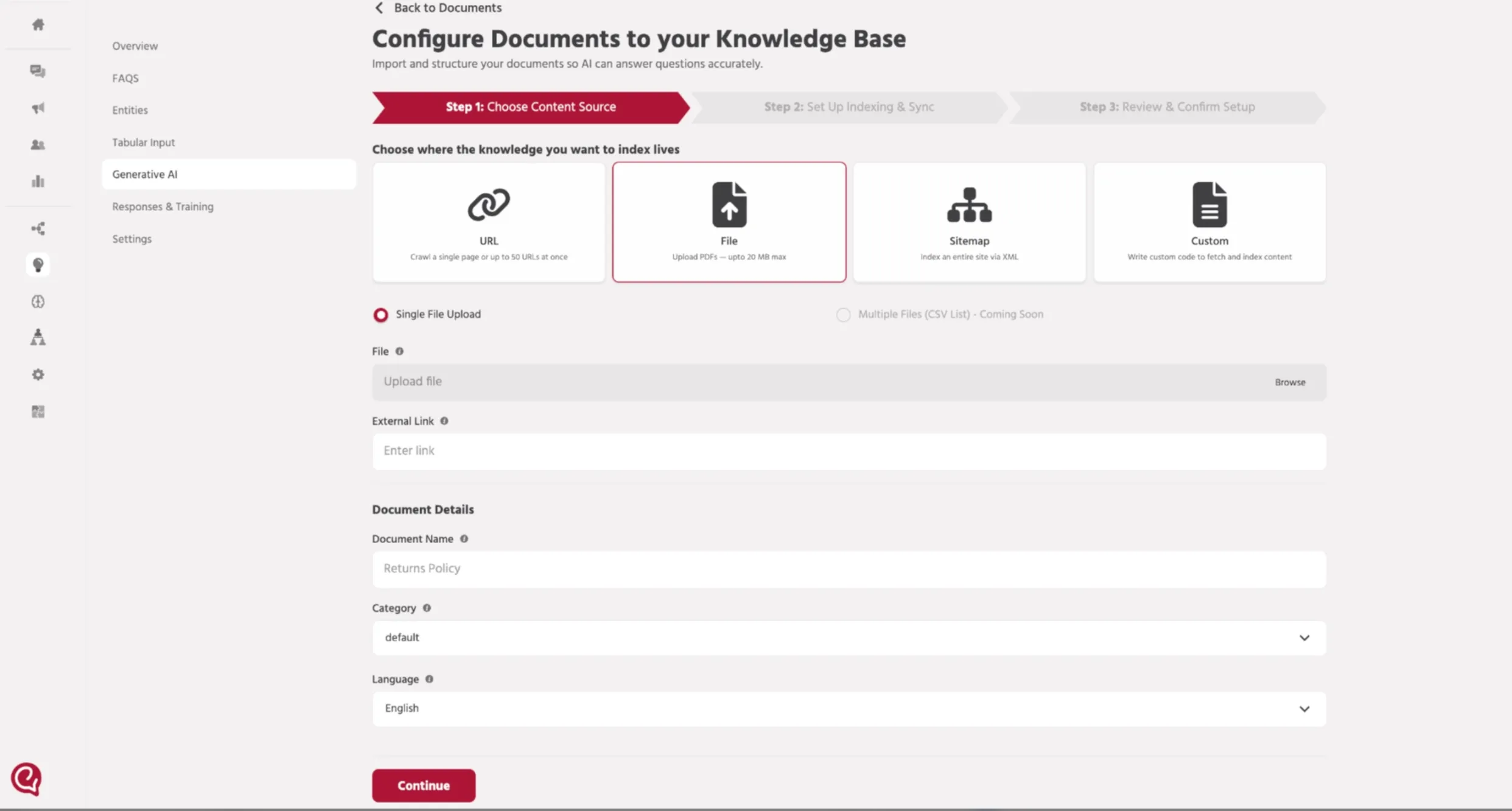
Click Browse and select the document you want to upload.
Optionally add the External Link if the document source is available online.
Step 3 — Add Document Details
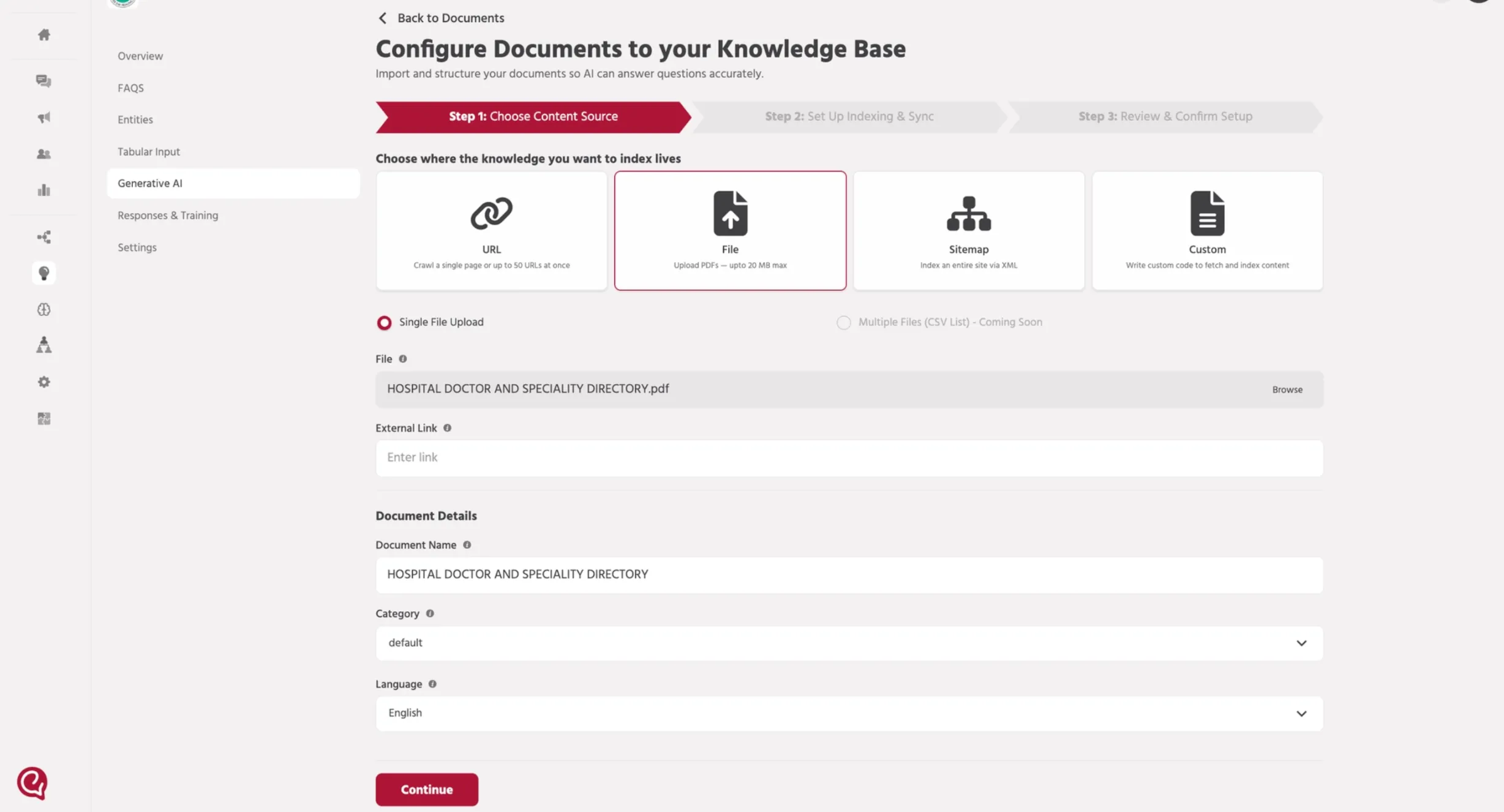
Enter the Document Name, choose a Category, and select the Language.
Click Continue to proceed.
Step 4 — Configure Indexing
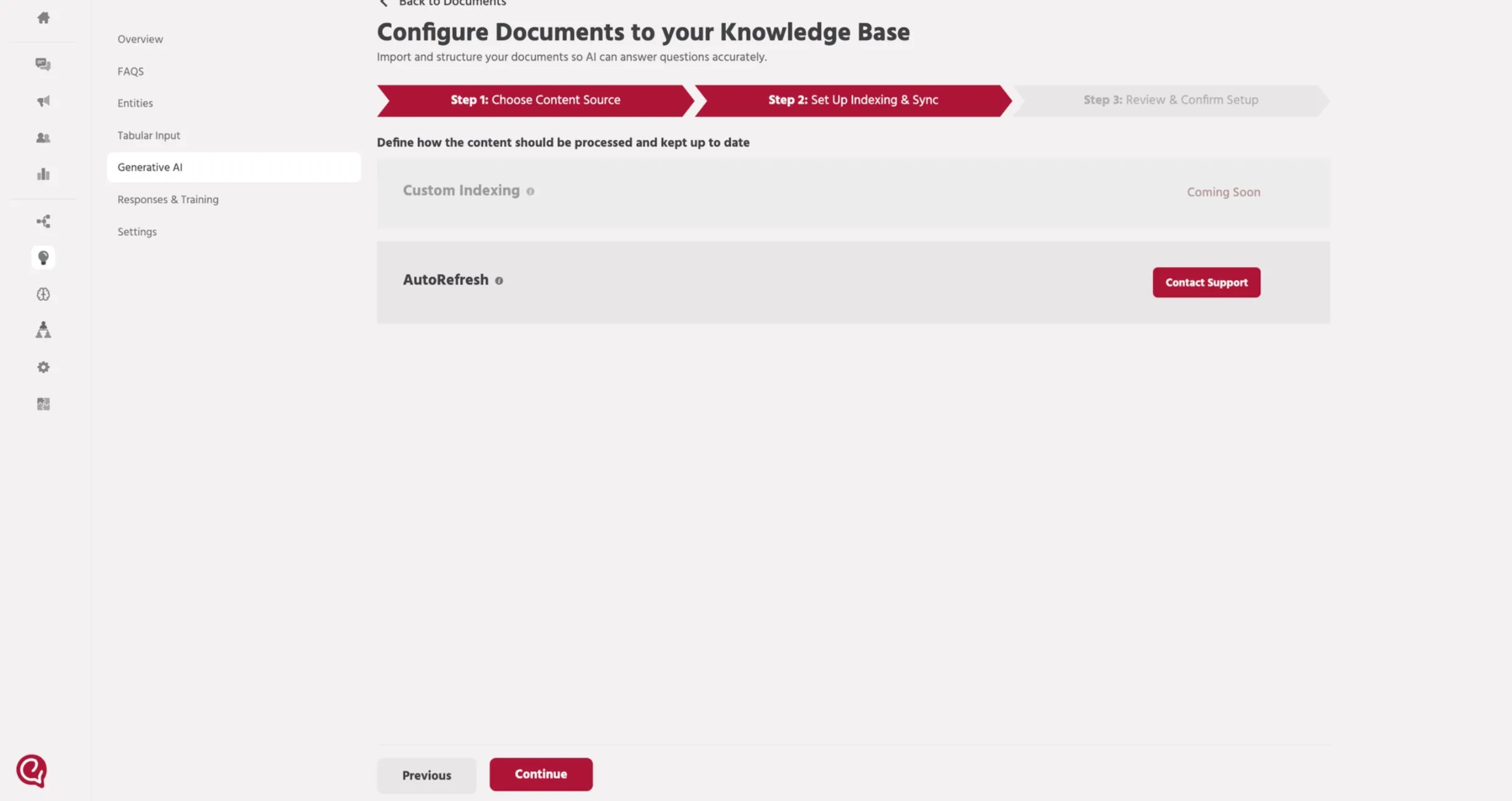
Review the indexing configuration settings before processing the document.
Click Continue to move to the confirmation step.
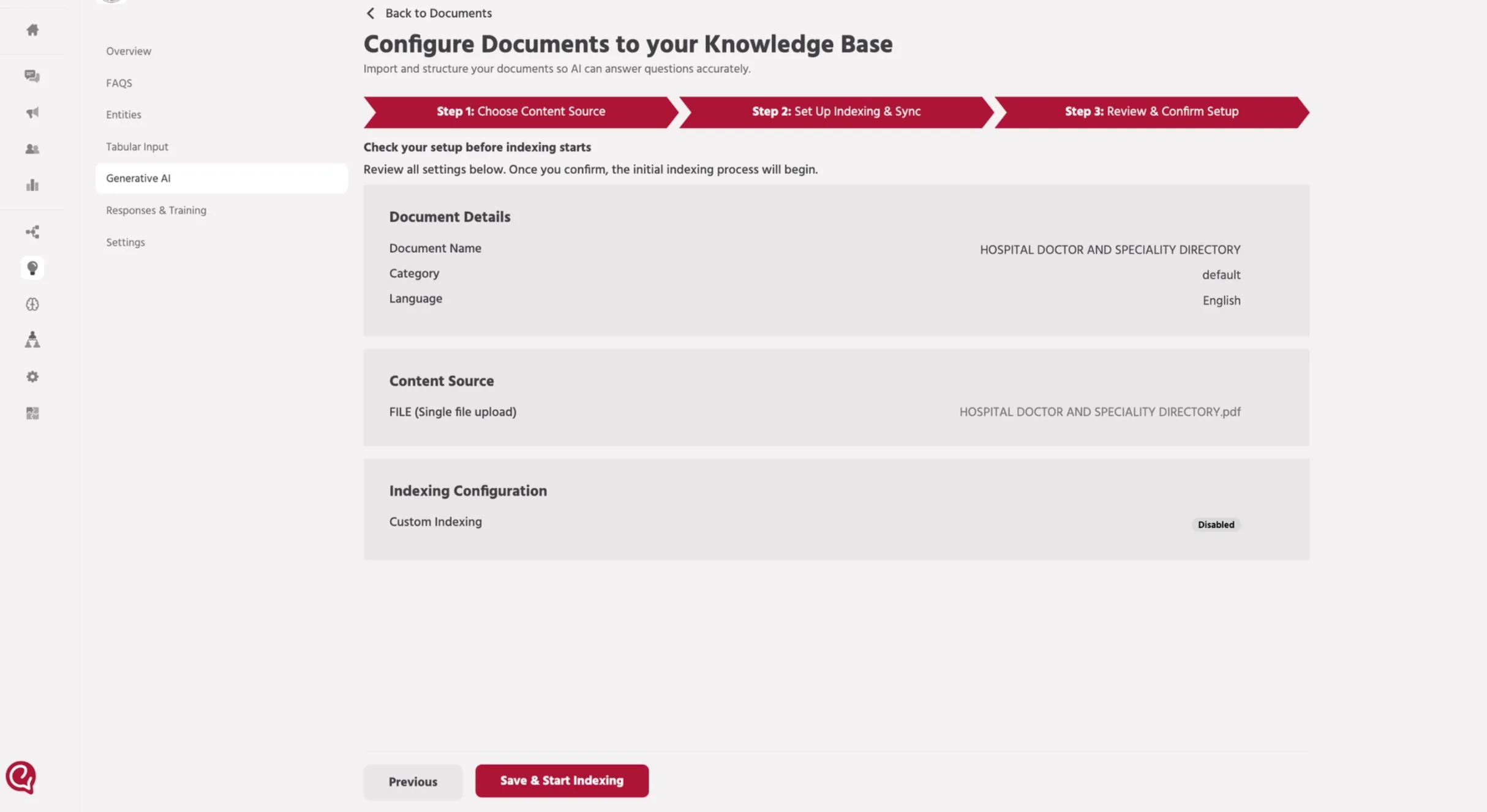
Step 5 — Review and Confirm
Verify the document details and content source information.
Click Save & Start Indexing to begin indexing the document.
Step 6 — Document Processing
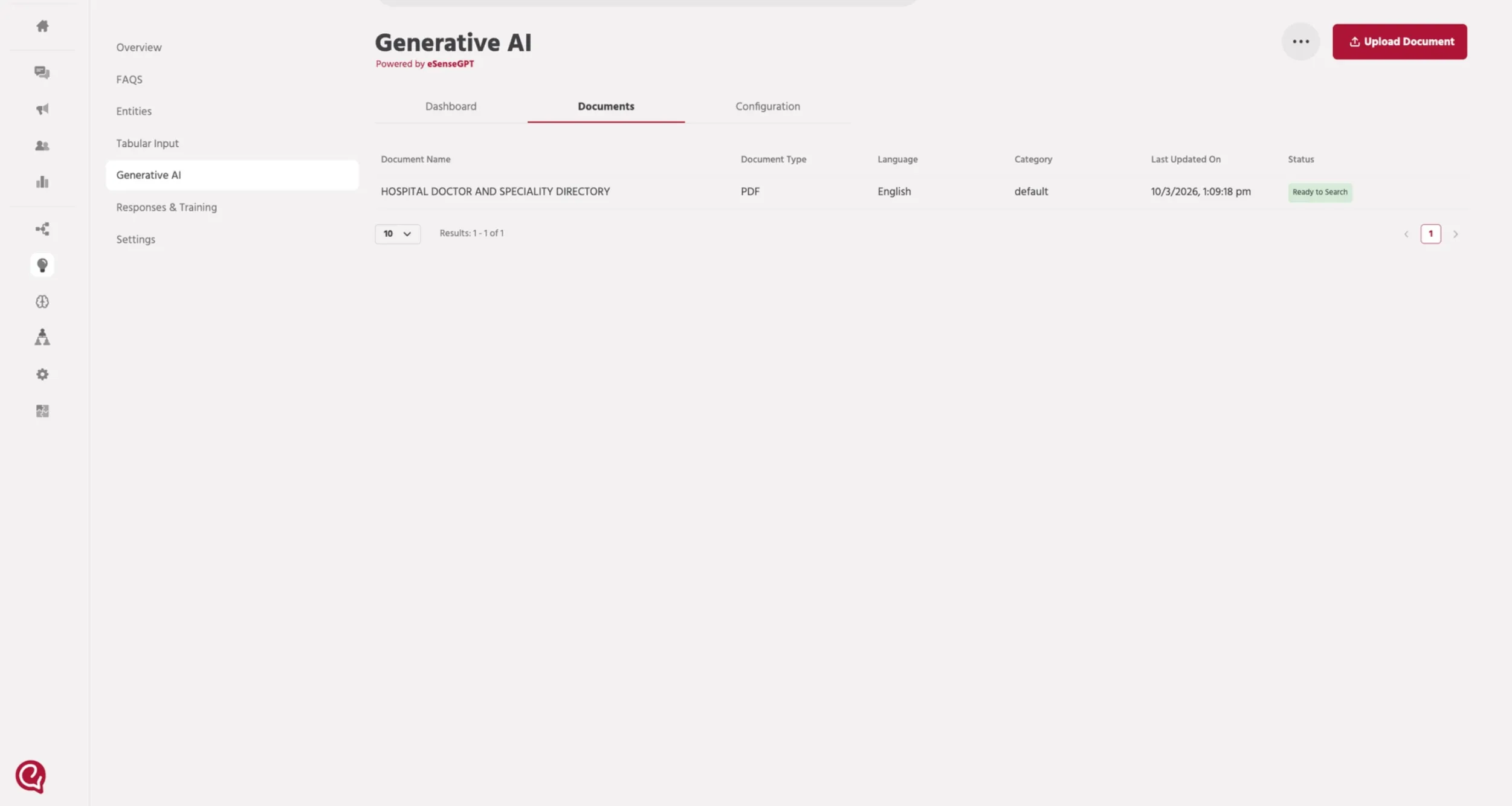
The document status will show Processing while indexing is running.
Once completed, the status changes to Ready to Search.
📚 Next Steps
Once the document is indexed and the status shows Ready to Search, configure the agent workflow so the AI can retrieve answers from the trained documents.
➡️ Proceed with 3. Path SetupPath setup