API Trigger
1. Overview
The API Trigger feature allows you to start a chatbot flow using an API call, without requiring the user to interact with the bot manually.
This is useful for:
- Automating workflows
- Triggering bot actions from external systems
- Passing user data directly into bot flows
NOTE: This feature is only for WhatsApp and RCS channel.
2. Availability
API Trigger is available in our Enterprise plans based on an entitlement, please reach out to [email protected] for assistance.
3. Working Mechanism
- A user’s data (e.g., phone number, attributes) is sent via an API request
- The API triggers a specific bot flow (using Flow Key)
- The flow executes based on the configured logic
- A user is created/tracked in the bot with provided details
4. API Endpoint
Method: Post
Request URL:
Headers:
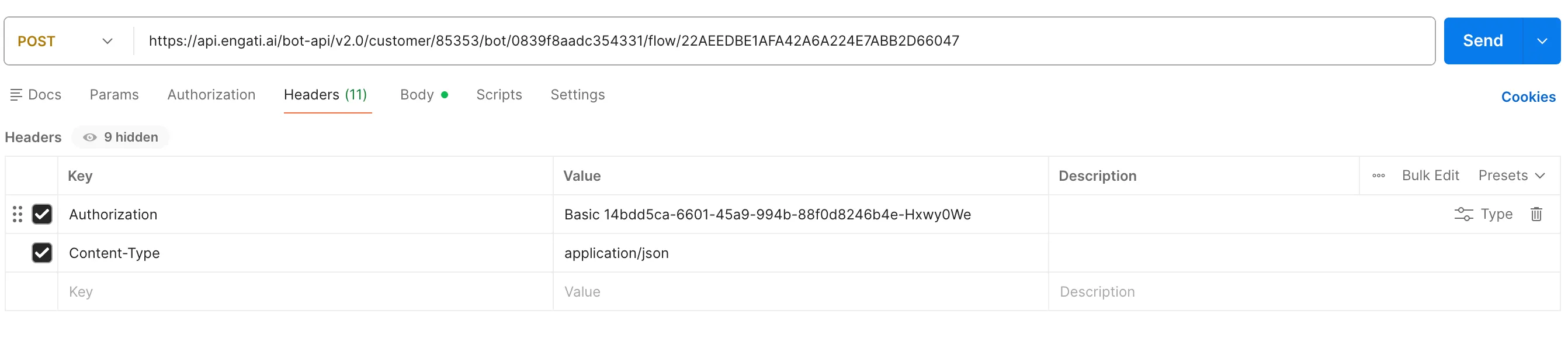
WhatsApp Channel
Required Parameters
Parameter | Description |
|---|---|
customer_id | Unique customer identifier |
bot_key | Bot identifier |
API Key | Authentication key |
flow_key | Flow to be triggered |
user.phone_no | User’s phone number (with country code) |
Where to Find Keys
- Customer ID / Bot Key / API Key → Integrations → Engati API
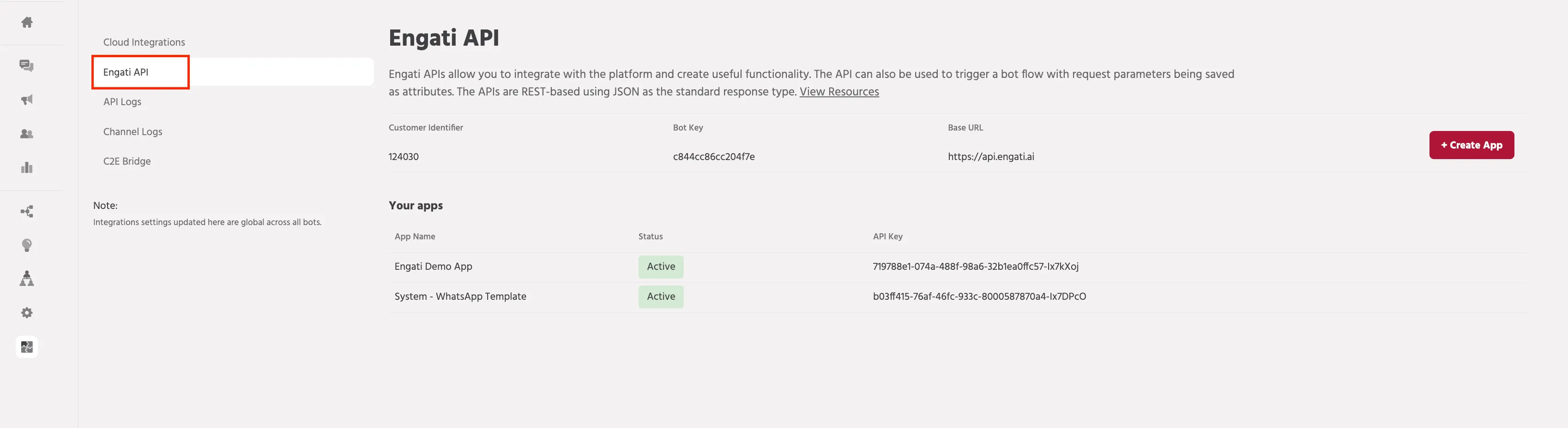
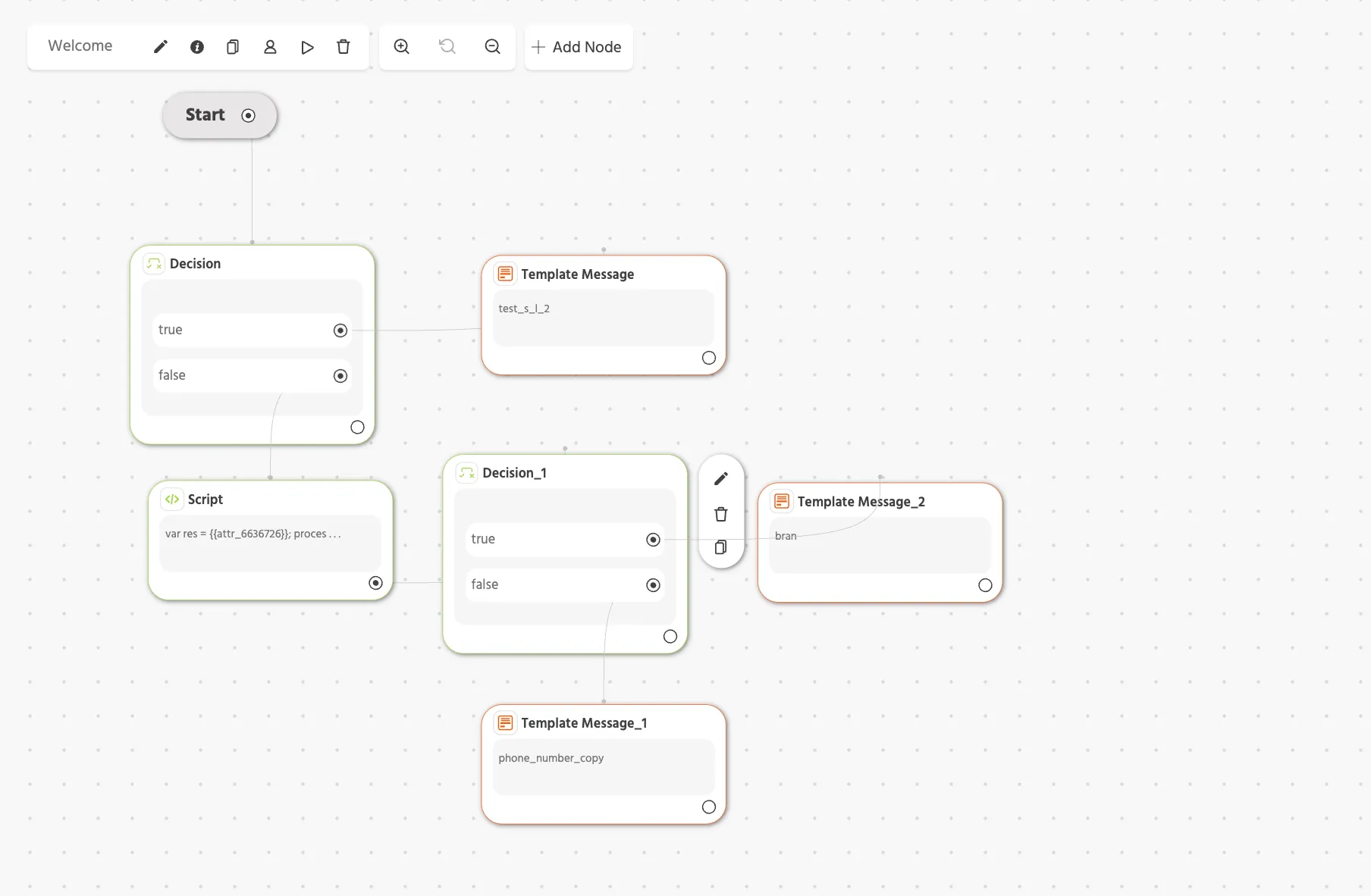
- Flow Key → Click the "i" (Path Info) icon in the flow builder

Note: For WhatsApp, if in any case, the user's name is not present with its phone number then the 'user.user_name' attribute will capture and store its phone number.
Flow Setup
- Create a flow in the bot builder
- Use attributes to receive API data
- Add decision nodes to control logic
Example:
- If user_type = VIP → trigger VIP flow
- Else → trigger standard flow
User tracking
When the API will be triggered and the automation flow executed, a user will be created in the dedicated bot containing the details.

cURL
Version 1
curl --location --request POST 'https://api.engati.ai/bot-api/v1.0/customer/<cid>/bot/<bot_key>/flow/<flow_key>?user.phone_no=<phone_number>&resultCode=123&operationId=test123' \
--header 'Authorization: Basic <api_key>'
Version 2
When the API will be triggered the attribute data will be passed through the API into the flow and this flow will be executed. These attributes can be configured in the Request Body of API.
curl --location 'https://api.engati.ai/bot-api/v2.0/customer/<CID>/bot/<Bot_Key>/flow/<Flow_Key>' \
--header 'Authorization: Basic <API_Key>' \
--header 'Content-Type: application/json' \
--data '{
    "user.channel": "whatsapp",
    "user.phone_no":<To_Number>,
    "attribute_1":"This is Parameter 1",
    "attribute_2":"This is Parameter 2"
}'
RCS Channel
API Trigger also works for RCS channel.
Key Differences:
- "user_channel": "rcs"
- Flow key remains in the URL
- User must have RCS enabled
Parameters
Parameter | Description |
|---|---|
customer_id | Unique customer identifier |
bot_key | Bot identifier |
API Key | Authentication key |
flow_key | Flow to be triggered |
user.phone_no | User’s phone number (with country code) |
Note: Please refer to the WhatsApp channel section above for reference.
Example cURL Request
curl --location --globoff 'https://api.engati.ai/bot-api/v2.0/customer/{customer_id}/bot/{bot_id}}/flow/{flow_key}' \
--header 'Authorization: Basic <API_Key>' \
--header 'Content-Type: application/json' \
--data '{
    "user.channel": "rcs",
    "user.phone_no": "<To_Number>",
    "attribute_1":"This is Parameter 1",
    "attribute_2":"This is Parameter 2"

}'
Important Notes
- The Flow Key must always be part of the request URL.
- The channel must be specified as RCS in the request body.
- The phone number must include the country code.
- The user must have RCS enabled on their device to receive messages.
In case of issues please reach out to [email protected]